
Mounting your Insignia television properly transforms your viewing experience while eliminating bulky stands that clutter your living space. If you’ve purchased a new 65-inch Insignia F50 Series Smart Fire TV or are upgrading your current setup, knowing how to install Insignia wall mount correctly ensures your investment remains secure for years to come. This step-by-step guide walks you through every critical phase of installation, from verifying compatibility to safely mounting your 49-pound television. With proper preparation and attention to detail, you can complete this project in about an hour—even if you’ve never mounted a TV before.
Before you begin the installation process, understanding your specific TV’s requirements is essential. The Insignia 65-inch F50 Series LED 4K UHD Smart Fire TV uses a standard VESA 200mm x 200mm mounting pattern and weighs approximately 49 pounds. These two specifications—weight and mounting pattern—form the foundation of every decision you’ll make during installation. Selecting a mount that meets or exceeds these requirements isn’t optional; it’s critical for safety and long-term stability.
Verify Your Insignia TV’s VESA Pattern Before Mounting
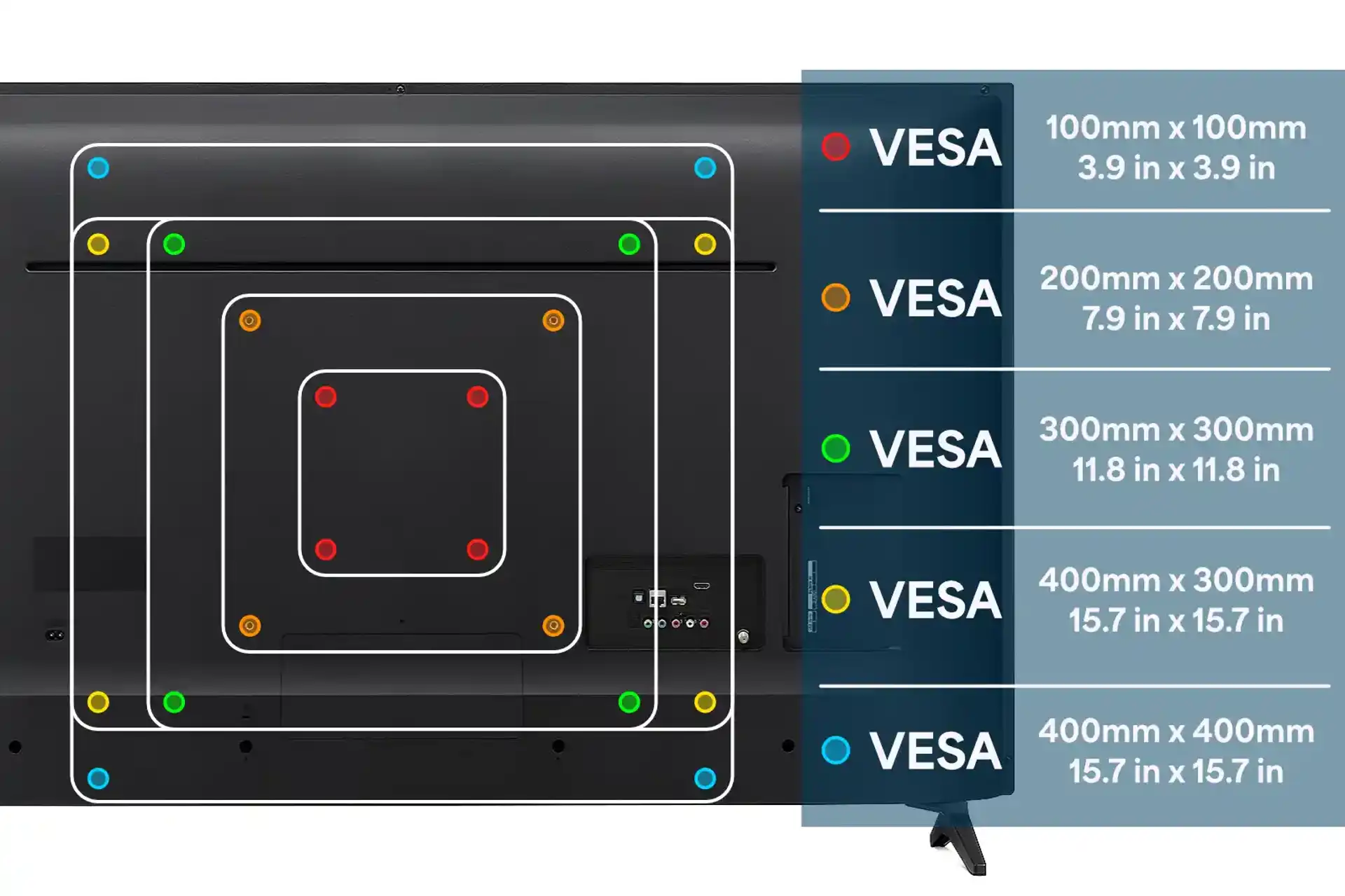
The VESA mounting pattern determines whether a wall mount will physically fit your television. This pattern refers to the precise arrangement and spacing of the four screw holes on the rear of your TV. For the Insignia 65-inch F50 Series, the mounting pattern is 200mm x 200mm, meaning the four holes form a perfect square with 200 millimeters (approximately 7.87 inches) between opposite holes.
Measure Your TV’s Mounting Holes Accurately
Use a metric ruler or tape measure to confirm the distance between the mounting holes on your specific Insignia model. Measure from the center of one top hole to the center of the opposite bottom hole, then repeat for the side holes. Both measurements should equal 200mm. If your measurements differ, consult your TV’s manual—some Insignia models have variations in mounting patterns based on series or year.
Check Weight Requirements Against Mount Specifications
Your Insignia television weighs approximately 49 pounds, but selecting a mount rated for only this weight provides dangerously little safety margin. Industry safety standards recommend choosing a mount rated for at least 1.5 to 2 times your TV’s actual weight—meaning you should look for mounts rated for 74 pounds or more. This extra capacity accounts for pressure applied during adjustments, minor weight variations between units, and long-term stability as components age.
Gather All Necessary Tools Before Starting Installation
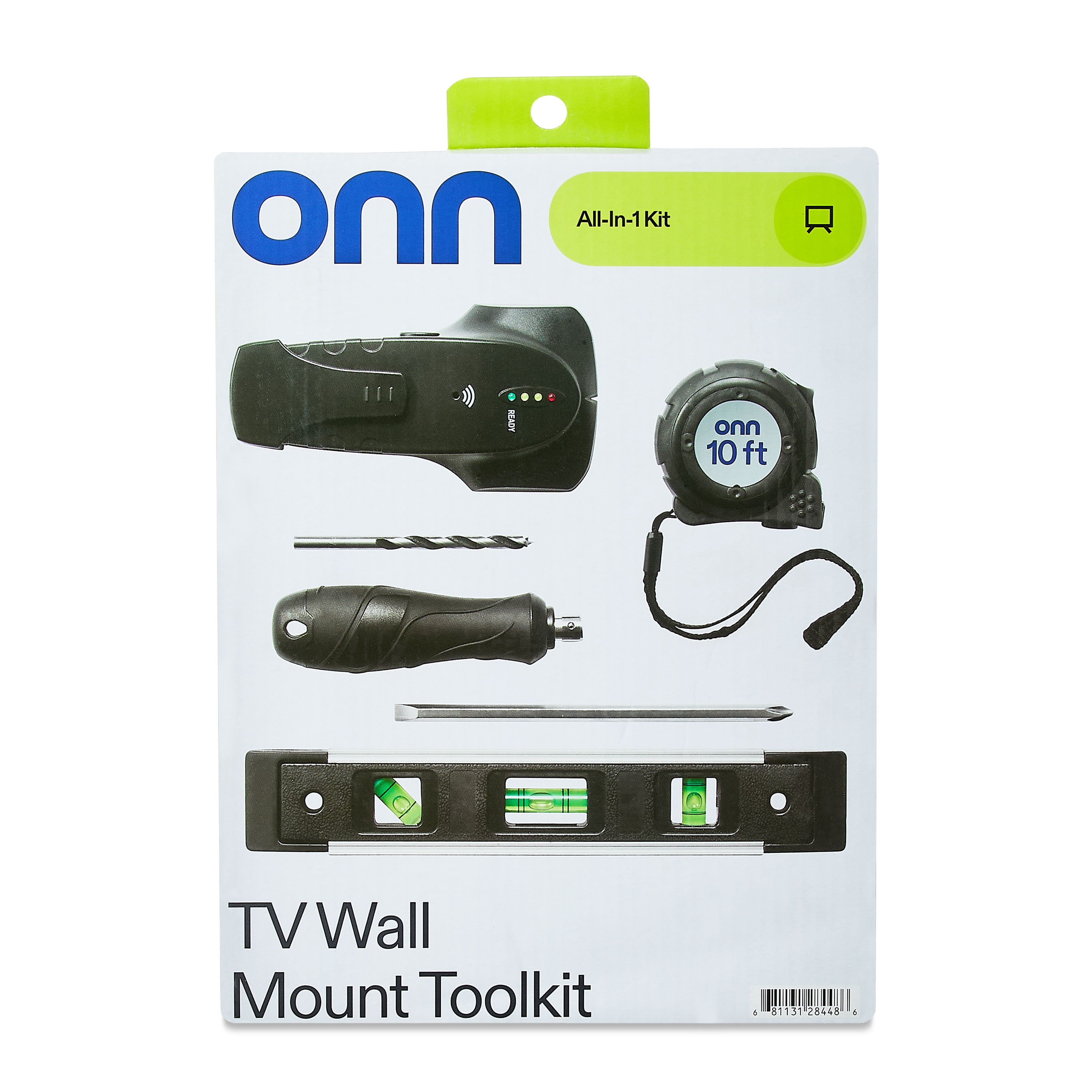
Having every tool assembled before you begin prevents frustrating interruptions and ensures you complete the installation safely. The required tools vary based on your wall type, but these essentials apply to all installations.
Essential Tool Checklist for Insignia Mount Installation
- Power drill with multiple speed settings
- Drill bits appropriate for your wall type (wood, drywall, or masonry)
- Phillips and flat-head screwdrivers
- 24-inch level for perfect alignment
- Tape measure for precise positioning
- Stud finder (magnetic or electronic)
- Pencil for marking hole locations
- Wall anchors rated for heavy loads (if not mounting into studs)
- Safety glasses to protect your eyes from debris
Pro Tip: Place a small towel in your drill bit case to prevent bits from rolling around and getting lost during installation.
Select the Correct Mount Type for Your Viewing Needs
Choosing the appropriate mount type significantly impacts your viewing experience and installation complexity. Insignia TVs with the 200mm x 200mm VESA pattern work with three primary mount categories.
Fixed Mounts: Simplest Installation Option
Fixed mounts position your television flat against the wall with no adjustment capability. These mounts typically cost $30-$60, install with minimal complexity, and sit just 1-2 inches from the wall for a clean, built-in appearance. If your primary viewing position is directly in front of the wall, a fixed mount provides excellent value and straightforward installation. The Insignia NS-WM1015 is specifically designed for this TV model and offers reliable performance.
Tilting Mounts: Reduce Glare from Windows and Lights
Tilting mounts allow you to adjust the vertical angle of your television by 15-20 degrees, which proves valuable when mounting the TV higher than eye level. If you plan to install your Insignia TV above a fireplace or in an elevated position, a tilting mount reduces neck strain and minimizes glare. These mounts add 3-4 inches of depth compared to fixed mounts but provide meaningful flexibility for everyday viewing comfort.
Locate Wall Studs with Precision
Finding solid wood studs behind your drywall is the single most critical step for a safe installation. Studs provide the structural support necessary to hold 49 pounds of television weight plus the mount’s weight over time.
Professional Stud Finding Techniques
Use a high-quality electronic stud finder for the most accurate results. Start scanning from the corner of the room, as studs are typically spaced 16 or 24 inches apart. When the device signals a stud location, mark both edges of the stud with pencil marks, then measure the center point. For a 65-inch TV, your mount should engage at least two studs (spaced 16 inches apart) to distribute the weight properly.
Critical Warning: Never mount your Insignia TV using drywall anchors alone—this creates a serious safety hazard. The combined weight of your television and mount must transfer directly to wall studs.
Attach Mounting Bracket to Your Insignia TV Properly

This step requires careful attention to alignment and secure fastening. Working on a stable, flat surface covered with a soft blanket prevents scratching the screen or frame.
Step-by-Step Bracket Installation Process
- Lay your Insignia TV face-down on a protected surface
- Remove plastic caps covering the VESA mounting holes using a small flat-head screwdriver
- Position the bracket against the rear panel, ensuring perfect hole alignment
- Insert all four screws through the bracket into the television’s mounting holes
- Tighten each screw gradually in a crisscross pattern to ensure even pressure
- Verify the bracket has no movement by gently attempting to shift it
Never overtighten the mounting screws—this can strip the threaded inserts or crack the TV’s rear housing. Stop tightening when you feel firm resistance.
Mount Your Insignia TV to the Wall Plate Safely
This step absolutely requires two people due to the 49-pound weight of the 65-inch model. One person should support the bottom while the other guides the top into position.
Two-Person Mounting Procedure
- Have one person lift the TV while the other positions it against the wall plate
- Align the bracket hooks with the wall plate mounting slots
- Gently lower the TV until the bracket fully seats on the wall plate
- Install all safety screws or locking mechanisms specified by the mount manufacturer
- Double-check that every connection point is secure before releasing full support
Pro Tip: Place a small piece of painter’s tape on the wall where the top of the TV should sit—this gives your helper a visual reference point during lifting.
Verify Installation Security Before Finalizing
After completing the physical installation, thorough verification ensures your television is mounted safely and correctly.
Critical Post-Installation Checks
- Gently push against the top and sides of your television to confirm no movement
- Test tilting/swiveling mechanisms (if applicable) for smooth operation
- Use a bubble level across the top frame to verify perfect horizontal alignment
- Check all mounting screws for tightness after 24 hours (wood can settle slightly)
- Ensure cables have adequate slack to prevent strain during adjustments
Follow These Non-Negotiable Safety Guidelines
The consequences of improper wall mount installation can be severe—property damage, personal injury, or both. These safety guidelines protect your investment and everyone in your home.
Weight Capacity Must Exceed TV Weight
Select a mount rated for at least 74 pounds (1.5x your TV’s 49-pound weight) to provide essential safety margins. Mounts rated exactly at your TV’s weight operate at maximum capacity constantly, increasing failure risk as components age.
Never Skip Stud Mounting
Drywall alone cannot safely support 49 pounds of television weight over time. The hardware will eventually pull out, causing your television to fall. If stud locations don’t align with your mount’s hole pattern, purchase a different mount rather than compromising safety.
Use All Four Mounting Points
Your mount includes four connection points for weight distribution—never skip screws or use fewer than specified. Every mounting hole should receive its specified screw, fully tightened to manufacturer specifications.
Maintain Your Wall Mount Installation Long-Term
Your installation’s reliability depends on periodic checks and proper use habits. Even perfect initial installation can degrade over time if connections loosen.
Quarterly Maintenance Checklist
- Inspect all mounting hardware for tightness (every 3-6 months)
- Check for any signs of wall damage or stress around mounting points
- Verify the television remains level without shifting position
- Examine cables for wear or strain that could affect stability
- Clean dust from mounting mechanisms to prevent binding
Pro Tip: Set a reminder on your phone to check your wall mount every season—this simple habit prevents most long-term issues.
Completing your how to install Insignia wall mount project successfully requires verifying the 200mm x 200mm VESA pattern, selecting a mount rated for at least 74 pounds, locating solid wall studs, and following each step methodically. The 49-pound weight of your 65-inch F50 Series television demands proper preparation and two-person handling. By gathering all necessary tools, understanding your TV’s specifications, and adhering to the safety guidelines outlined above, you’ll create a secure installation that provides years of reliable service. If you encounter complications or feel uncertain about any step, Insignia Support provides model-specific guidance to ensure your installation succeeds. Remember that proper wall mounting isn’t just about convenience—it’s a critical safety measure that protects your family and your investment.

