
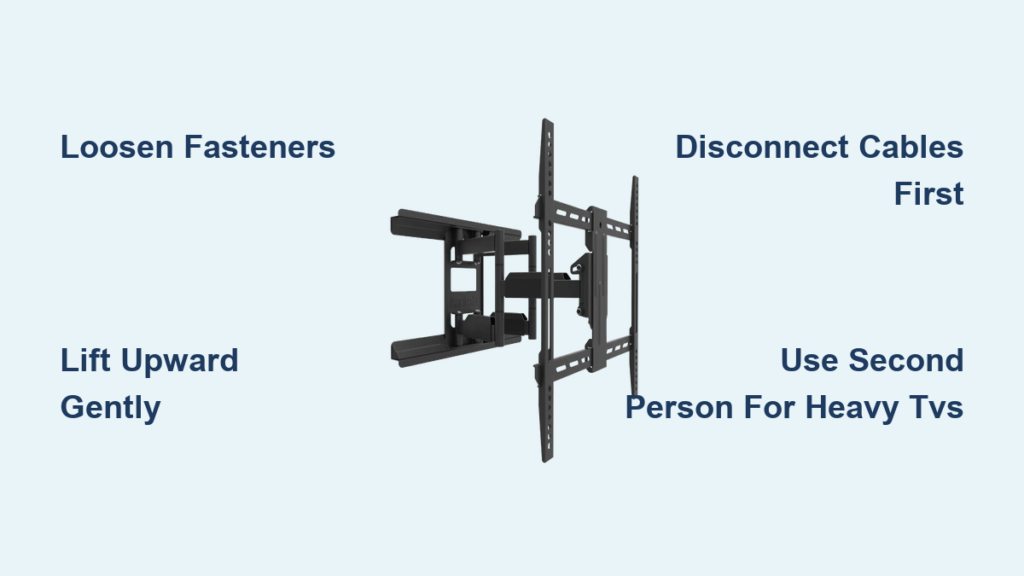
Your television has served faithfully mounted above your fireplace, but now you need to move it to your motorhome for the summer or perform some behind-the-scenes maintenance. Knowing how to remove TV from Kanto wall mount properly ensures you won’t damage your expensive display or the mounting hardware. Kanto’s clever engineering allows most homeowners to complete this task in under 15 minutes with basic tools and a clear understanding of the disengagement mechanism. Unlike some complicated mounting systems that require professional assistance, Kanto wall mounts feature a user-friendly design specifically created for straightforward removal and reinstallation.
Whether you have a compact 32-inch screen or a massive 75-inch display, following the correct removal sequence protects both your investment and the integrity of your wall mount. This guide walks you through every critical step—from initial cable disconnection to safely lifting your television free—while highlighting common pitfalls that could turn a simple task into a costly mistake. You’ll discover exactly where to locate the release points, which tools you’ll actually need, and how to troubleshoot stubborn connections that refuse to disengage properly.
Disengage the Mounting Plate
The secret to removing your TV from a Kanto wall mount lies in understanding the plate-based connection system. Your television attaches to a dedicated mounting plate secured to its rear panel with screws, and this plate engages with the wall-mounted arm assembly through metal hooks at the bottom. These hooks connect to corresponding receptacles on the wall mount arms, creating a secure but releaseable connection that’s engineered for homeowner access without specialized tools.
To successfully disengage the mounting plate, you must first recognize that forcing the television away from the wall will damage both components. Instead, locate the fasteners that secure the mounting plate against the wall mount arms—typically nuts or bolts positioned where the plate meets the arms. These fasteners maintain the tension that keeps the hooks properly engaged. When you loosen them sufficiently, the entire mounting plate with your TV can lift upward and away from the wall assembly. Look for slight movement in the connection once you begin loosening, indicating the tension is releasing properly.
Loosen Release Fasteners

Locate the Fastener Points
Your first physical step involves identifying the exact location of the release fasteners on your Kanto wall mount. These are typically positioned at the bottom connection points where the mounting plate meets the wall mount arms, accessible from beneath or the sides of the assembly. Most Kanto models feature two primary connection points that both require loosening before the plate can release. Grab a basic wrench or socket set (usually a 10mm or 13mm size works for standard Kanto hardware) before you begin—having the right tool ready prevents frustration mid-process.
Before climbing your ladder, test whether the fasteners might loosen by hand. Kanto designs often allow initial adjustment without tools, though most installations tighten them fully during setup. If you encounter resistance, don’t force it—switch to your appropriate-sized wrench immediately to avoid stripping the fastener heads. Remember that these fasteners secure the mounting plate to the wall arms, not the TV to the plate, so focus your efforts on the connection between wall and plate.
Perform the Loosening Procedure
Work methodically to loosen both fasteners equally—turn each one approximately one full rotation before moving to the next. This balanced approach prevents uneven stress that could bind the mounting plate or cause your television to shift unexpectedly. Never completely remove these fasteners during the removal process; they should remain attached to the mounting plate for future reinstallation. After two to three full turns on each fastener, you should feel play in the connection as the tension releases.
At this stage, gently lift your television upward about 1-2 inches while maintaining a firm grip. This upward motion disengages the metal hooks from their receptacles in the wall mount arms. You’ll often hear a subtle “click” or feel the release when successful. If resistance persists, double-check that you haven’t missed any secondary fasteners and verify all cables are completely disconnected before attempting additional loosening.
Handle Heavy TVs Safely
Enlist a Second Person
For televisions larger than 55 inches or weighing over 25 pounds, always have a second person assist you during the removal process. Larger screens create significant handling challenges due to their weight distribution—what seems light when mounted becomes awkward and top-heavy when unsupported. Your assistant should focus solely on supporting the television’s weight while you manage the fastener loosening and plate disengagement. This division of labor dramatically reduces the risk of dropping your TV or damaging the mounting hardware.
If you absolutely must work alone with a heavy television, create a temporary support system using rolled towels or foam padding positioned just below the mounting plate. This provides a safety buffer in case you lose grip, but remember this is a last resort—not a substitute for proper assistance. Never attempt to remove a large TV by yourself if you feel uncertain about maintaining control throughout the process.
Prepare Your Workspace
Clear the area beneath and around your wall mount before beginning. Remove any furniture, decorative items, or obstacles that could interfere with handling the television. Place soft padding—such as a moving blanket, thick towels, or foam sheeting—on the floor where the television will land if accidentally dropped. Ensure you have a stable working position at the correct height; using an unstable chair or overreaching from a ladder creates dangerous situations. If the mount is high on the wall, use a proper step ladder that allows you to work comfortably without stretching.
Prepare Cables and Connections
Disconnect All External Connections
Before touching any mounting hardware, disconnect all cables attached to your television. Start by unplugging the power cord from the wall outlet (not just turning off the TV), then systematically remove HDMI cables, Ethernet connections, audio cables, and any other attachments. Take photos of your cable connections or label each cable with masking tape before disconnecting—this saves significant time during reinstallation and prevents confusion about where each cable belongs.
Pay special attention to cables that might be hidden behind the mounting plate. Older installations often have cables compressed against the wall that can bind during removal. Gently pull each cable free from any clips or channels before attempting to disengage the mounting plate.
Manage Cable Tension
After disconnecting, coil cables neatly and secure them with twist ties or Velcro straps. Position them away from your immediate workspace to prevent accidental snagging during removal. If cables remain partially connected or draped over furniture, they can create unexpected tension that binds the mounting plate or causes you to lose balance. For complex entertainment setups, consider disconnecting source devices first to ensure complete cable separation before TV removal begins.
Troubleshoot Release Issues
Address Common Complications
If your mounting plate refuses to disengage after proper loosening, first verify that all cables are completely disconnected—residual tension from even a single HDMI cable can prevent clean release. Next, gently shift the television from side to side while maintaining upward pressure; this movement often reveals partial engagement you can correct. Some users find success applying light upward pressure while an assistant slightly loosens the fasteners further, helping the mechanism release.
If the mount still resists, check for secondary safety features your installer might have added, such as additional locking screws not included in the standard Kanto design. These are uncommon but possible in professional installations.
Clean Contact Points
Dust and debris accumulation around the mounting plate contacts can cause sticking over time. Use a soft, dry cloth to clean the engagement points where the hooks connect to the wall mount arms. For stubborn buildup, a can of compressed air can dislodge particles from tight spaces. Never use lubricants like WD-40—they attract more dust and create long-term problems. After cleaning, work the mechanism gently several times to ensure smooth operation before attempting full removal.
Reinstall or Store Your TV
Manage the Mounting Plate After Removal
After removing your TV from the Kanto wall mount, decide whether to leave the mounting plate attached. If you plan to reinstall the television soon or move it between locations like your home and motorhome, keeping the plate attached simplifies future installation. Alternatively, if you prefer using the TV’s original stand, remove the mounting plate by unscrewing the fasteners connecting it to the TV’s rear panel. Store these fasteners in a labeled bag to prevent loss.
Prepare for Reinstallation
When returning your TV to the wall, align the mounting plate hooks with the wall mount arm receptacles and lower the plate into position. You should hear or feel the connection engage. Tighten the fasteners securely, then verify the installation by gently attempting to lift the TV away from the wall—never skip this critical safety check. Proper reinstallation ensures your television remains securely mounted during everyday use.
Follow Safety Guidelines
Electrical Safety First
Always disconnect your TV from all power sources before beginning removal. Unplug the power cord completely—don’t just turn off the TV with the remote. Hardwired installations require turning off the appropriate circuit breaker. This precaution prevents electrical shock and protects sensitive components during handling.
Structural and Handling Precautions
Maintain three points of contact when working on a ladder, and never attempt to loosen fasteners while supporting the full weight of the television with one hand. If at any point you feel uncertain about completing the removal safely, pause and reconsider your approach. The cost of professional assistance is minimal compared to replacing a damaged television or treating injuries from an accident.
Get Professional Support
Contact Kanto Directly
If you encounter model-specific difficulties, contact Kanto Living through their official support channels. Having your model number ready accelerates the process, and manufacturer representatives can provide guidance tailored to your specific mount. Kanto’s website also offers comprehensive installation manuals and video resources demonstrating proper removal techniques.
Know When to Call a Professional
Consider professional help for televisions larger than 75 inches, installations above fireplaces, or any situation where you feel uncomfortable with the process. Professional installers have the experience and specialized tools to handle complex removal scenarios safely. Recognizing when to call for assistance demonstrates good judgment rather than failure—it’s the smart choice for protecting your valuable equipment.

