

Your Rocketfish wall mount has served you well, but now you need to take your television down—whether you’re moving, upgrading, or simply rearranging your living space. Knowing how to remove TV from Rocketfish wall mount properly prevents costly damage to your expensive television and avoids potential injury during the process. Rocketfish designs their mounts with user-friendly release mechanisms, but the exact procedure varies significantly depending on your specific model. Attempting removal without understanding your particular mount’s system could lead to frustration, damaged equipment, or worse—a television crashing to the floor.
This comprehensive guide eliminates the guesswork from detaching your television by walking you through every critical step with model-specific insights. You’ll discover how to identify your exact release mechanism type, gather the right tools, and execute the removal process safely—whether you’re dealing with a small 32-inch display or a massive 75-inch home theater centerpiece. By following these precise instructions, you’ll complete the removal efficiently while protecting both your investment and your safety.
Identify Your Rocketfish Mount Release Mechanism Type
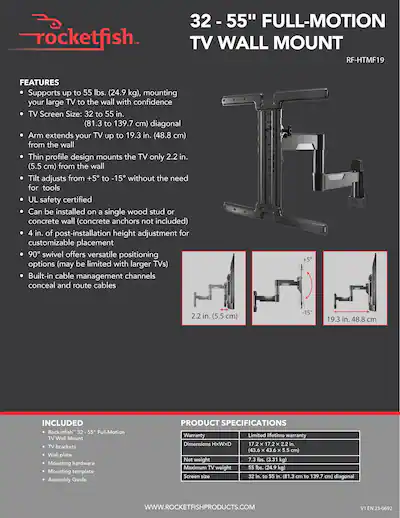
Before touching any tools or attempting removal, you must determine which release system your specific Rocketfish wall mount employs. Rocketfish manufactures multiple mount models with two distinct release mechanisms, and confusing them could damage your equipment or leave you stranded with a partially detached television.
Lever and Pull-Tab Release Systems
Approximately 60% of Rocketfish wall mounts use a lever or pull-tab mechanism positioned discreetly at the back of the mounting assembly. These mounts feature a visible lever, tab, or handle near where the mounting arms connect to your television’s back panel. Some models incorporate a small flip-down handle that requires downward pressure, while others use a tab that pulls straight away from the mount body. When you locate this mechanism, examine its movement direction carefully—some require upward motion while others need downward pressure to disengage the lock. You’ll typically hear or feel a distinct click when the locking mechanism releases properly, signaling it’s safe to lift the TV away.
Allen Screw Release Systems
The remaining Rocketfish models utilize an Allen head screw that physically secures the TV mounting bracket to the wall plate. This small hex screw sits on the rear of the mount where the two brackets connect, often accompanied by a thin pull cord or wire looped through the screw head. To release your television with this system, you must first completely remove the Allen screw using the appropriate wrench size, then pull the attached cord downward to disengage the internal locking pins. Some homeowners mistakenly believe loosening the screw is sufficient, but partial removal keeps the pins engaged, preventing safe TV detachment. The presence of both a hex screw and a thin cord at the mounting interface confirms you’re working with this mechanism type.
Gather Required Tools Before Starting
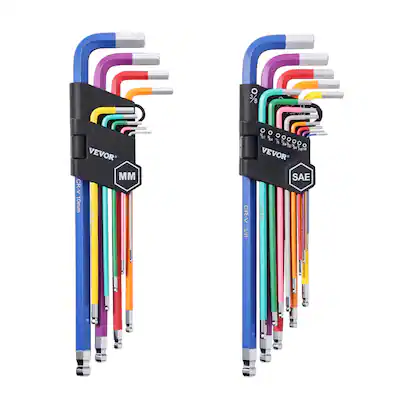
Having the correct tools immediately available prevents dangerous situations where you’re supporting a heavy television while searching for equipment. For Allen screw mechanisms, collect an Allen wrench set with sizes ranging from 1/16 inch to 3/16 inch—most Rocketfish models use either 5/64 inch or 3/32 inch hex keys. Using an improperly sized wrench risks stripping the screw head, which could require professional assistance to resolve.
Even if you believe your mount uses a lever system, keep an Allen wrench set nearby as backup—some Rocketfish models combine both mechanisms. Prepare soft cotton gloves or microfiber cloths to protect your hands and provide better grip on the television’s smooth bezel. Keep your cell phone charged and accessible to reference this guide during the process, and ensure your assistant understands their role before beginning. Having everything ready prevents rushed movements that could compromise safety.
Prepare Your Workspace Safely
Creating an optimal removal environment reduces risks significantly, especially with heavier televisions. Clear all furniture, decor, and obstacles from the area directly in front of and beneath your mounted TV to provide ample maneuvering space. This clearance prevents accidental bumps that could shift the television during removal and gives you and your assistant room to move safely.
Place a thick moving blanket, foam padding, or multiple folded towels on the floor where you’ll set the television down. This protective surface absorbs impact if the TV slips and prevents scratches to the housing. Before attempting removal, disconnect all cables—including HDMI, power, and audio connections—to eliminate tension that could pull the television unexpectedly during detachment. With cables disconnected and workspace cleared, you’ve created the safest possible environment for removing your TV from the Rocketfish wall mount.
Work with a Helper for Large TVs
Attempting to remove any television larger than 40 inches alone dramatically increases risks of injury and equipment damage. Screens in the 55-75 inch range often weigh 40-70 pounds with awkward weight distribution that creates dangerous leverage when handled solo. The physics of large TVs make them prone to sudden shifts that can catch a single person off guard.
Assign clear roles: one person should support the television’s base throughout the entire process while the other manages the release mechanism. Your base supporter should maintain three points of contact with the TV—two hands and a shoulder if needed—to prevent slippage. Before starting, establish verbal cues like “ready to release” and “TV clear” to coordinate movements. This teamwork approach transforms what could be a hazardous solo task into a controlled, safe operation.
Locate the Release Mechanism
Finding your specific release mechanism requires examining the back of the mount where the mounting arms connect to your TV. For lever systems, look for a protruding tab or handle near the top center of the mounting interface—some models cleverly hide this behind a small plastic cover that snaps off. Rocketfish lever mechanisms typically sit within 2-3 inches of the mounting arms’ connection points.
For Allen screw systems, identify the small hex screw positioned on the rear of the mount where the brackets join. This screw often has a thin nylon cord attached, leading to the internal release mechanism. If you see both a hex screw and a cord, you’ve confirmed your mount type. Take time to locate this mechanism before proceeding—rushing this step leads to unnecessary damage when you apply force to the wrong component.
Disengage the Locking System
With your assistant supporting the television’s weight, carefully operate the release mechanism according to your mount type. For Allen screw systems, insert the properly sized hex key and turn counterclockwise until the screw comes completely free—partial removal keeps the locking pins engaged. Once removed, firmly grasp the attached cord and pull straight down with steady pressure until you feel the pins release (you’ll hear a distinct click).
For lever systems, manipulate the release tab or handle in the direction your model requires—some need downward pressure while others require upward motion. Apply smooth, consistent force rather than jerking motions that could damage the mechanism. If you encounter resistance, stop immediately and reexamine the mechanism; forcing it risks permanent damage. When properly disengaged, the locking mechanism will move freely without resistance.
Lift TV from Wall Plate
After disengaging the lock, coordinate with your assistant to lift the television straight up approximately 1-2 inches before moving it away from the wall. This small upward motion clears the mounting hooks from their slots in the wall plate. Move slowly and deliberately, keeping the TV parallel to the wall surface to prevent tilting.
Your assistant should maintain firm grip on the TV’s base while you support the top edges. Together, lower the television onto your prepared protective surface with controlled movements. Never set the TV down abruptly—even on padding—as internal components can sustain damage from sudden impacts. Once safely on the floor, you’ve successfully completed the TV removal from your Rocketfish wall mount.
Troubleshoot Stuck Release Mechanisms
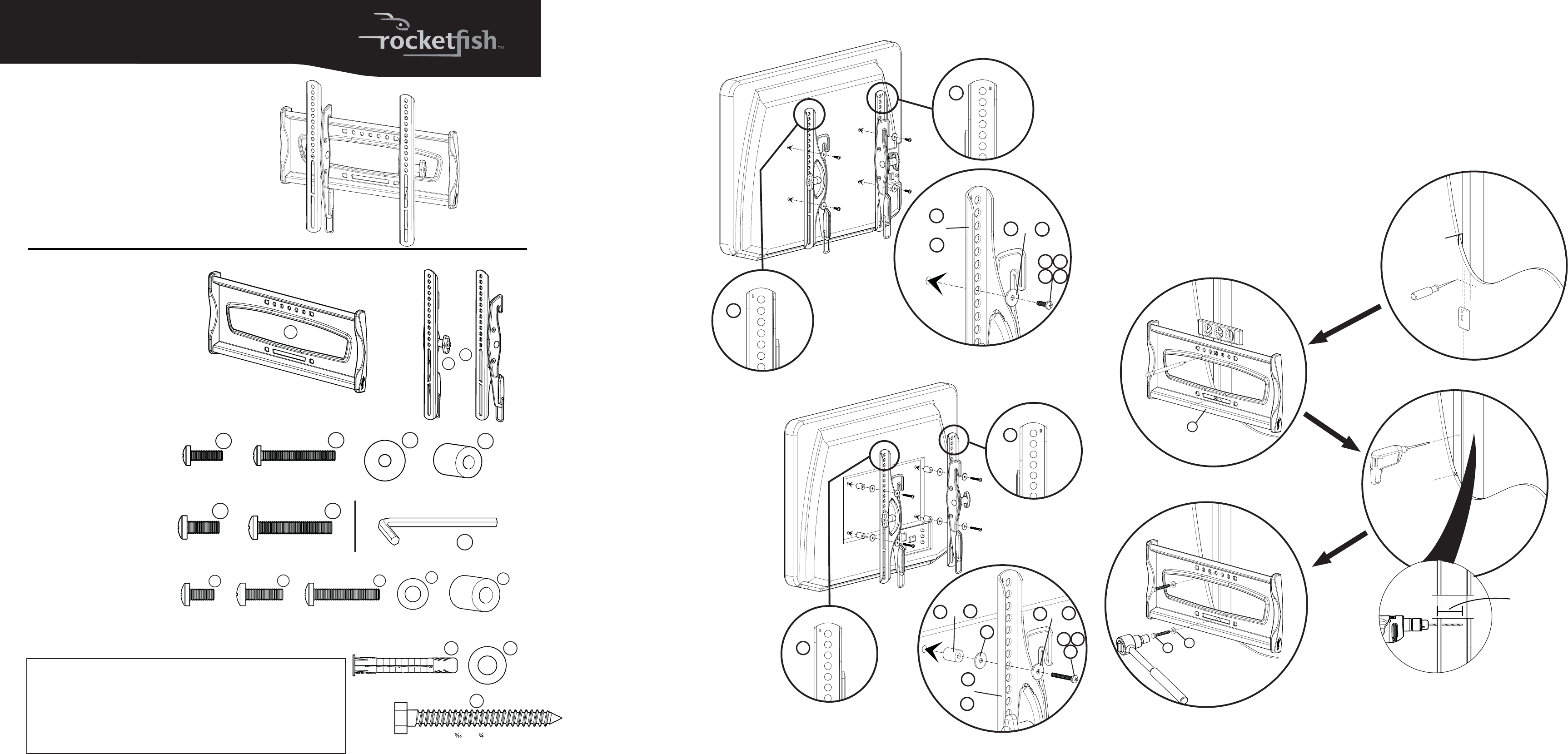
If your release mechanism resists standard operation, follow these model-specific solutions before forcing components. For Allen screw systems, verify complete screw removal—many homeowners mistakenly believe loosening is sufficient. If the cord won’t pull, gently wiggle the television side-to-side while applying steady downward pressure on the cord; this often frees stuck pins without damage.
For lever systems, check for dust accumulation around the mechanism that may restrict movement. Use compressed air or a soft brush to clean debris before retrying the release. Some Rocketfish models require more force than expected, particularly if unused for years, but never apply excessive pressure that could break plastic components. If cleaning and gentle manipulation don’t work, contact Rocketfish support before proceeding further.
When to Contact Professional Support
Rocketfish provides dedicated support for removal challenges at 1-800-620-2790, where representatives offer model-specific guidance based on your serial number. Visit their website’s product support section to download your exact model’s manual, which contains diagrams and instructions not found in general guides. Professional assistance becomes essential when:
- You’ve damaged the release mechanism through improper handling
- Your television exceeds 75 inches or weighs over 80 pounds
- The mount shows visible signs of wear or damage
- You feel uncertain about any step in the process
The minimal cost of professional help pales compared to replacing a damaged television from a failed DIY removal attempt.
Maintain Your Wall Mount After Removal
After successful TV removal, inspect both the wall plate and TV bracket for dust accumulation, corrosion, or physical damage. Clean the release mechanism with a soft, dry cloth to ensure smooth operation for future installations. Store all removed hardware in labeled containers—taking photos during disassembly creates a visual reference for reinstallation.
Regular maintenance prevents future removal issues: every six months, verify the release mechanism operates smoothly and clean any accumulated dust. By caring for your Rocketfish mount properly, you’ll ensure that removing your TV from the Rocketfish wall mount remains straightforward whenever the need arises again—protecting both your equipment and your peace of mind.

