Selecting the right wall mount size and dimensions is essential for securing your television safely while achieving the optimal viewing experience. A properly sized mount ensures stability, accommodates your TV’s specifications, and integrates seamlessly with your wall structure. With televisions ranging from compact 42-inch screens to expansive 95-inch displays, understanding mount dimensions, VESA compatibility, and weight capacity prevents costly installation mistakes and potential safety hazards. This comprehensive guide walks you through every critical measurement and specification you need to select and install the perfect wall mount for your home entertainment setup.
Match Your TV’s VESA Pattern for Secure Attachment
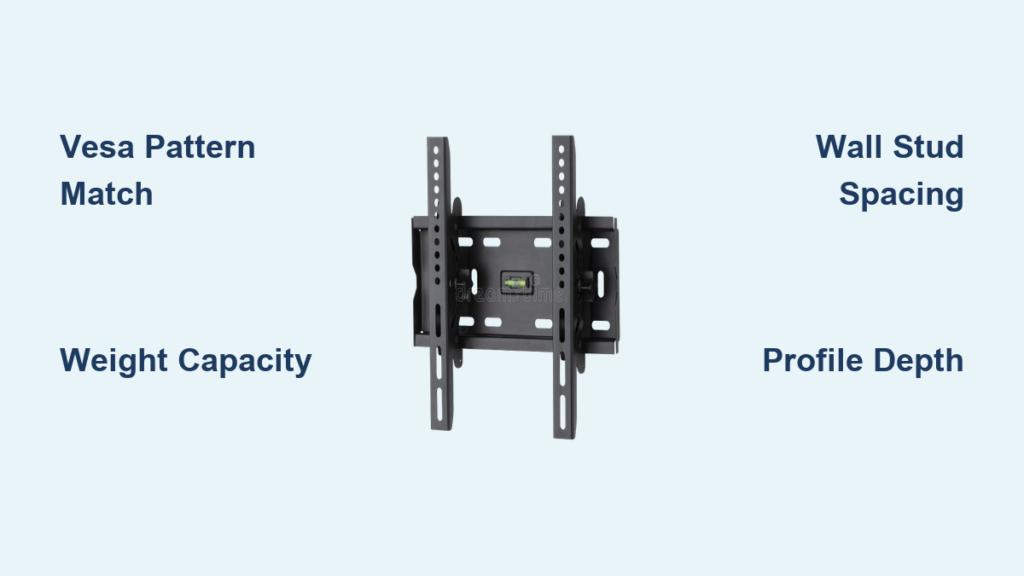
Your television’s VESA pattern determines whether it will physically connect to your wall mount. VESA refers to the standardized spacing between the mounting holes on the back of your TV, measured in millimeters. Choosing a mount that matches this specific pattern is non-negotiable for secure installation—mismatched patterns mean your TV simply won’t attach properly.
Universal wall mounts support multiple VESA configurations to accommodate virtually any television brand. Look for mounts that explicitly list compatibility with patterns like 600x400mm for larger screens, 400x400mm for mid-range models, and 150x150mm for smaller displays. This extensive range covers televisions from Samsung, LG, TCL, Sony, Vizio, and Hisense regardless of whether they use LED, OLED, or LCD technology.
How to Find Your TV’s Exact VESA Measurement
Locating your television’s VESA specification takes just two steps:
- Check your TV’s user manual under “mounting” or “specifications” sections
- If documentation is unavailable, measure directly by:
– Using a tape measure to determine horizontal distance between left and right mounting holes
– Measuring vertical distance between top and bottom mounting points
– Recording both measurements in millimeters (e.g., 400x200mm)
Never assume your VESA pattern based on screen size alone—two 65-inch TVs from different manufacturers might require completely different mounting configurations. This critical step ensures your wall mount size and dimensions will actually work with your specific television model.
Verify TV Size and Weight Before Mounting

Screen size directly impacts which wall mount size and dimensions you require, but it’s not the only factor. While most universal mounts accommodate televisions from 42 to 95 inches diagonally, you must confirm your specific model falls within the mount’s compatibility range. Standard sizes like 55-inch, 65-inch, and 75-inch displays each have different mounting requirements despite similar diagonal measurements.
Weight capacity works hand-in-hand with screen size to determine appropriate wall mount selection. High-quality fixed mounts support up to 132 pounds (60 kilograms), but heavier premium models with advanced display technologies often exceed standard weight expectations. Always check your TV’s actual weight in the specifications—not just its screen size—to avoid dangerous overloading scenarios.
Why Weight Matters More Than You Think
Many homeowners make the critical mistake of focusing solely on screen size while ignoring weight specifications. Consider these real-world examples:
- A standard 65-inch LED TV typically weighs 40-50 pounds
- A comparable 65-inch OLED model can weigh 60-75 pounds due to additional components
- High-end models with integrated soundbars or special features may exceed 80 pounds
Your wall mount size and dimensions must accommodate both the physical footprint and the actual weight of your television. Choosing a mount rated for your screen size but not your TV’s weight creates a ticking time bomb that could fail months after installation.
Achieve the Perfect Slim Profile Installation
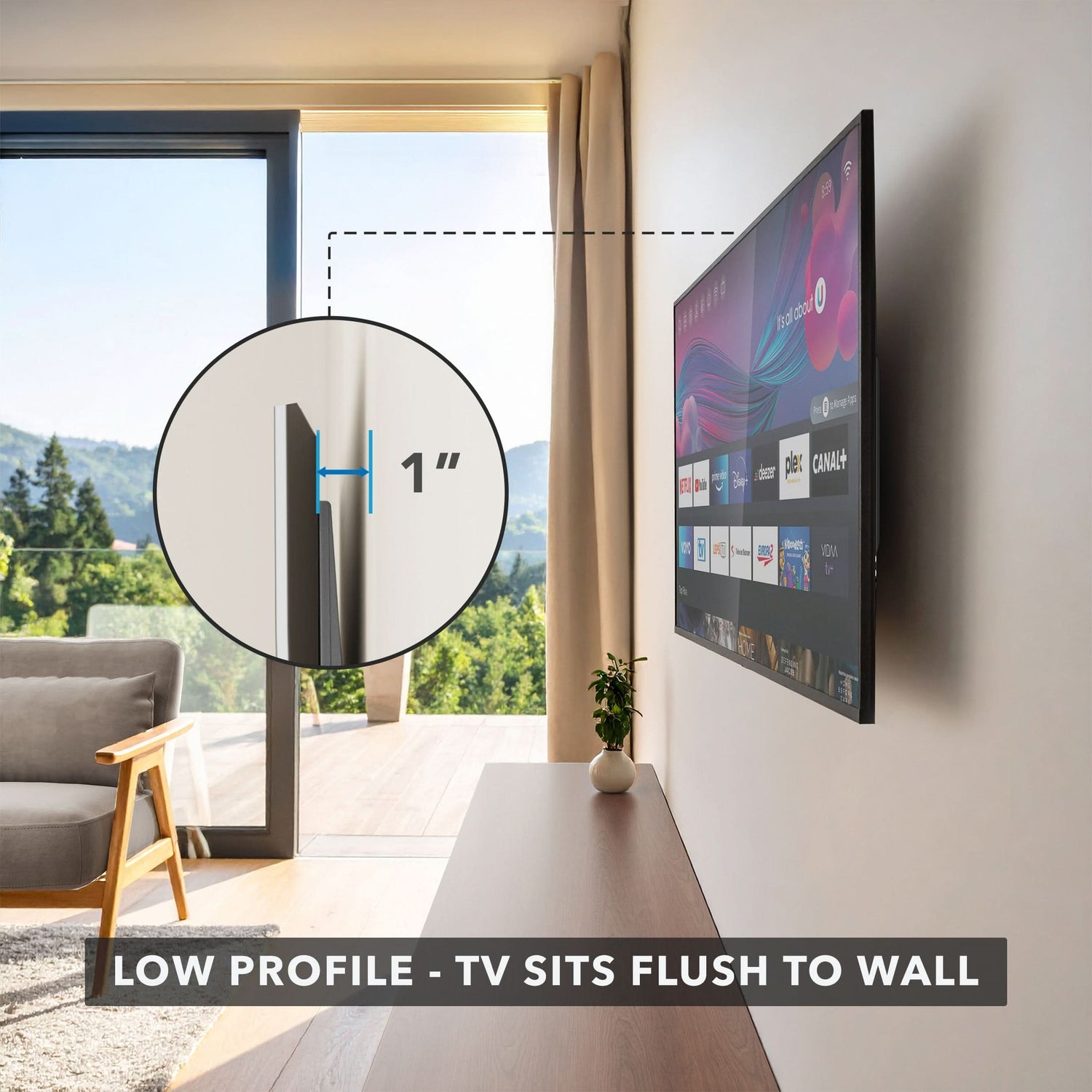
The profile dimension determines how close your television sits to the wall surface after installation. Low-profile mounts position your TV just 1.1 inches from the wall, creating that coveted “built-in” look that maximizes living space. This minimal clearance prevents obstruction issues with nearby furniture and creates a clean, modern aesthetic that enhances your room’s design.
Key Profile Measurements to Consider
When evaluating wall mount size and dimensions for slim installation:
- Total mount dimensions typically measure approximately 25.6 inches long × 8.7 inches wide × 1.1 inches deep
- The 24-inch wall plate provides substantial contact area with your wall structure
- Mounting bracket weight averages around 4.59 pounds (light enough not to add significant load)
This slim configuration frees up valuable floor space while maintaining structural integrity. However, ensure you have adequate clearance behind your TV for ventilation and cable management—most modern televisions require at least 2 inches of breathing room to prevent overheating.
Select Mount Based on Your Wall Structure
Wall stud spacing determines where you can safely mount your television. In North American residential construction, wood studs typically appear at 16-inch intervals, though 12-inch, 18-inch, and 24-inch spacing also exists depending on building age and construction methods. Your wall mount size and dimensions must accommodate your specific stud configuration.
Adapting to Different Wall Types
Your wall type dramatically impacts installation requirements:
- Wood stud walls: Use standard lag screws through the 24-inch wall plate to anchor into at least two studs
- Concrete walls: Require specialized 10mm diameter × 50mm length concrete anchors (φ10x50mm)
- Brick walls: Need masonry anchors designed specifically for brick installation
Universal mounts accommodate multiple stud spacing configurations (12″, 16″, 18″, and 24″ intervals), but always verify your wall structure before purchasing. Attempting to mount to drywall alone without hitting studs or using appropriate anchors risks catastrophic failure when your television eventually pulls away from the wall.
Measure Twice: Critical TV Dimensions for Mount Fit
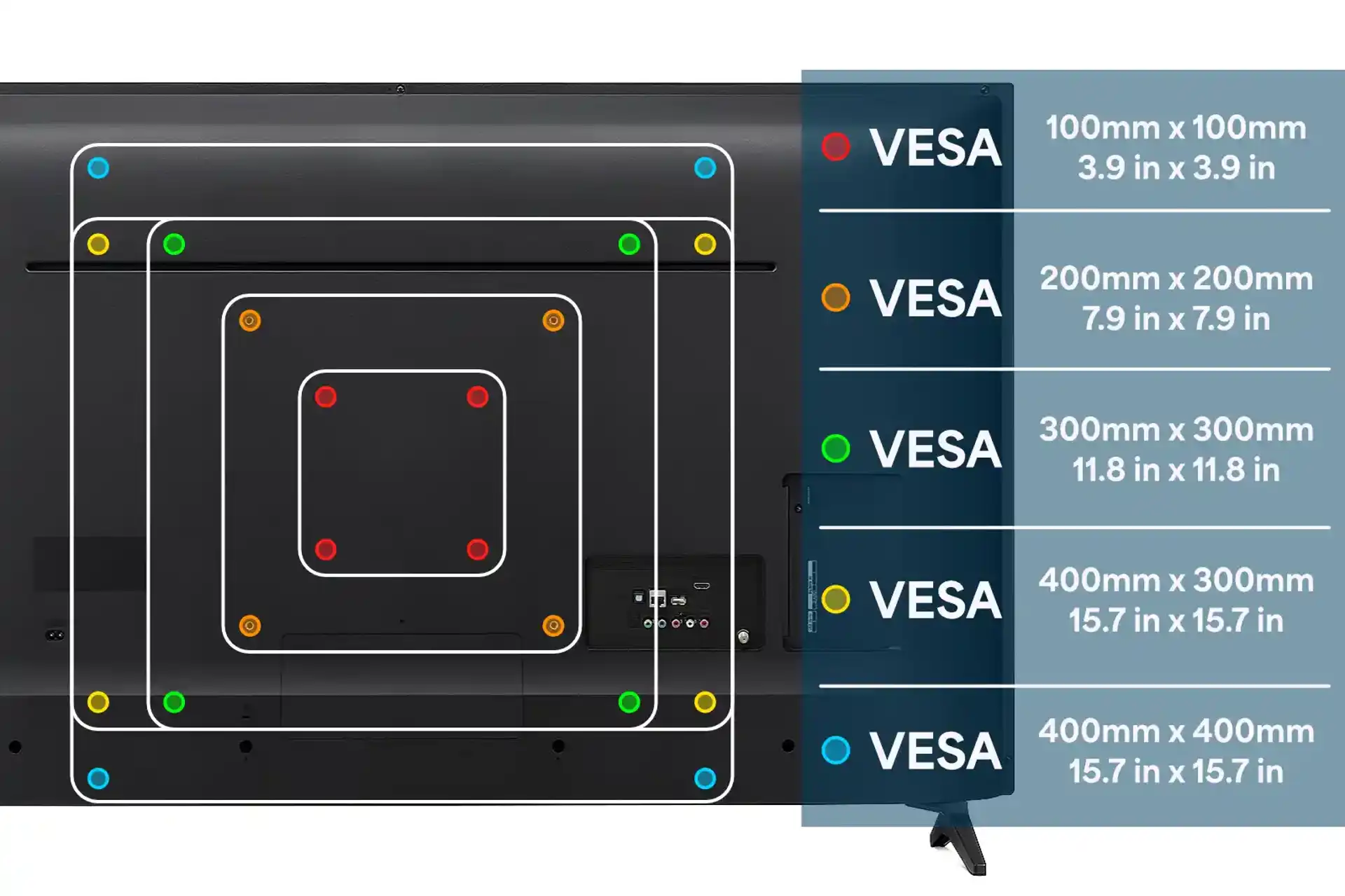
Accurate measurement prevents costly returns and installation failures. Begin by confirming your television’s diagonal screen size—measure from the upper-left to lower-right corner of the actual screen (not the bezel). This measurement verifies basic compatibility with the mount’s size range.
Next, locate your VESA mounting pattern on the TV’s rear panel. Most modern televisions feature four threaded holes arranged in a rectangular pattern. Measure both horizontally and vertically between the centers of these holes in millimeters. This precise measurement determines whether your TV will physically attach to the mount.
Don’t Skip the Weight Check
Weigh your television properly before installation:
- Remove the TV from its stand
- Use a bathroom scale (place TV on a sturdy board that extends onto the scale)
- Record the exact weight in pounds
Many people overlook this step, only to discover their mount can’t support their TV’s actual weight. A mount rated for “up to 95-inch TVs” might still fail if your specific 75-inch model exceeds the 132-pound weight limit. Your wall mount size and dimensions must satisfy all three criteria: screen size, VESA pattern, and weight capacity.
Avoid These 3 Costly Mount Installation Mistakes
Improper stud detection causes most wall mount failures. Never rely solely on stud finder apps—use a physical stud finder and verify by drilling small test holes. Mounting hardware must anchor into solid wood studs, not just drywall, to support your television’s weight safely over time.
Ignoring VESA compatibility leads to frustrating installation failures. Even if your TV fits the size range, mismatched mounting holes mean you’ll need to return the mount. Always verify your TV’s specific VESA pattern before purchasing—don’t assume based on screen size or brand.
Underestimating weight capacity creates dangerous installations. Select a mount with at least 20% more capacity than your TV’s actual weight. A 100-pound TV needs a mount rated for at least 120 pounds—not the bare minimum 100 pounds. This safety margin accommodates installation variables and prevents gradual hardware failure.
Maximize Your Mount Investment with Future-Proofing
Choose a wall mount size and dimensions that accommodate potential future upgrades. Universal mounts supporting extensive VESA patterns (150x150mm up to 600x400mm) and size ranges (42-95 inches) let you upgrade your television without replacing the entire mounting system. This forward-thinking approach saves money and avoids repatching walls when you eventually replace your TV.
Quality mounts include features that enhance long-term usability:
- Quick-release mechanisms with integrated drawstrings for easy TV removal
- US-based customer support for installation troubleshooting
- Comprehensive return policies (typically 30 days on major retailers)
Verify warranty coverage and after-sales support before purchasing. Reputable manufacturers provide assistance with compatibility questions and installation challenges, transforming a simple hardware purchase into a long-term solution for your home entertainment needs.
Selecting the correct wall mount size and dimensions requires careful attention to VESA compatibility, television weight, wall structure, and profile specifications. By understanding these critical measurements and how they interact during installation, you can confidently choose a mount that provides secure, stable support while complementing your living space aesthetics. Take time to measure your television and evaluate your wall structure before purchasing—this small investment of time ensures a successful installation that performs reliably for years to come.