
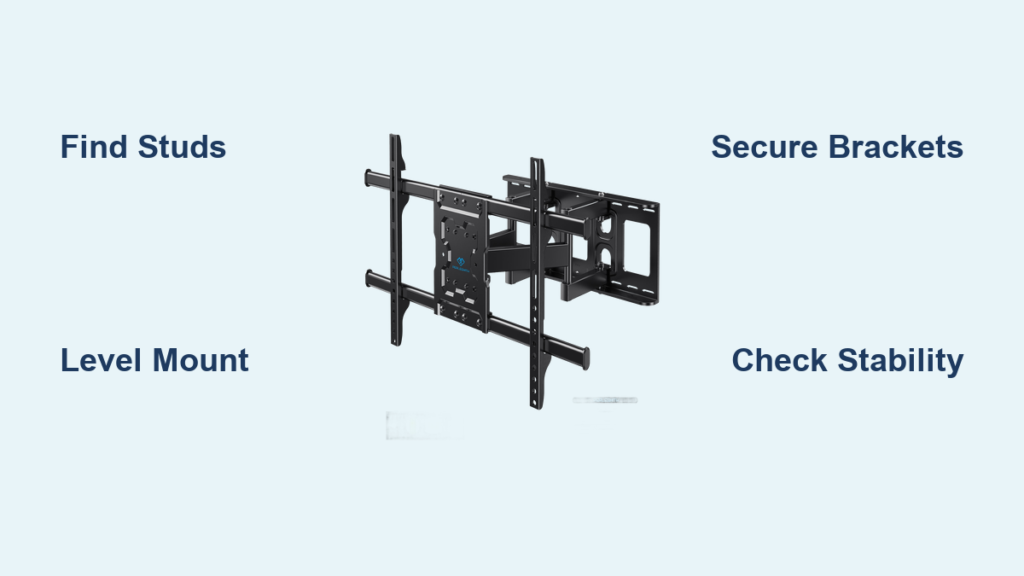
Your new Perlesmith TV wall mount arrived, and you’re ready to transform your viewing experience. But before you start drilling holes in your wall, you need clear, accurate instructions specific to this mount. A properly installed wall mount keeps your expensive TV secure while creating that sleek, modern look you want. This guide walks you through each critical step of installing your Perlesmith wall mount safely and correctly. You’ll learn how to verify your wall type, position the mount precisely, secure it properly, and attach your TV without risking damage or injury.
Why Proper Perlesmith Mount Installation Matters
Improper TV wall mount installation causes thousands of accidents each year. Your Perlesmith mount comes with specific hardware and requirements that differ from generic mounts. Following the correct installation process ensures your TV remains securely attached to the wall for years. The right installation also prevents damage to your wall surface and avoids costly repairs from improper mounting techniques. Understanding your specific Perlesmith model’s requirements is essential before you begin.
How to Verify Your Perlesmith Mount Compatibility
Before opening any tools, confirm your Perlesmith mount works with your TV and wall type. Check your TV’s VESA pattern measurement against the mount’s specifications. Most Perlesmith models support common VESA patterns from 100x100mm up to 600x400mm. Measure the distance between the mounting holes on the back of your TV in millimeters. Verify your wall can support the combined weight of your TV and the mount—drywall requires special anchors while stud walls need proper screw placement. Perlesmith mounts typically support TVs from 32-75 inches depending on the specific model.
What Tools You Need for Perlesmith Installation
Gather these essential tools before starting: stud finder, power drill, level, tape measure, pencil, screwdriver set, socket wrench, drywall anchors (if needed), and a helper to assist with the TV. Your Perlesmith package should include mounting hardware specific to your model—check that all pieces are present before beginning. Never substitute hardware not provided with your mount as this compromises safety. A laser level helps achieve perfect positioning, especially for larger TVs where minor errors become noticeable.
Locating and Marking Wall Studs for Perlesmith Mount
:strip_icc()/bhg-how-to-use-a-stud-finder-hero-3x2-9345_05ztFGQIanM92KZSko6Ro5-776ed670c59049b7ba505bcb49c93f44.jpg)
Why Stud Placement Determines Mount Safety
Your Perlesmith mount must anchor into wall studs for secure installation—drywall alone cannot support TV weight long-term. Studs provide the structural support needed to prevent your TV from pulling away from the wall. Most Perlesmith mounts require attachment to at least two wall studs spaced 16 or 24 inches apart. Locate studs using a reliable stud finder rather than guessing based on standard spacing, as construction variations occur.
Step-by-Step Stud Finding Process
Start by scanning your wall with the stud finder at the desired mounting height. Mark each stud edge with a pencil, then calculate the center point. For optimal support, position your Perlesmith mount so the mounting plate brackets align with stud centers. Verify stud location by drilling a small pilot hole in an inconspicuous area if uncertain. Perlesmith mounts typically require 2.5-inch lag bolts for proper stud attachment—measure your wall thickness to confirm bolt length requirements.
Positioning Your Perlesmith Mount Correctly
Calculating Ideal Mounting Height
Your viewing comfort depends on proper mounting height. For standard seating arrangements, position the center of your TV 42 inches from the floor. Adjust higher for standing viewing areas or lower for theater-style seating. Consider furniture placement—your Perlesmith mount should position the TV so it doesn’t extend beyond your entertainment center. Measure from floor to desired TV center point, then calculate where the mount brackets should sit based on your TV’s dimensions.
Leveling Techniques for Professional Results
Use a 4-foot level across the mounting plate to ensure perfect horizontal alignment. Even a slight tilt becomes obvious once your TV is mounted. Mark all screw holes with precision—Perlesmith mounts require exact hole placement for proper TV attachment. Create a cardboard template matching your TV’s VESA pattern to verify hole alignment before drilling. Double-check measurements from multiple reference points (ceiling, adjacent walls) to avoid costly repositioning.
Installing the Perlesmith Mounting Plate
Drilling Proper Pilot Holes
Select drill bits matching your Perlesmith hardware specifications—typically 3/16 inch for pilot holes. Drill straight into stud centers at the marked points, being careful not to drill too deep. Perlesmith includes specific screws for stud attachment; use these rather than generic hardware. When drilling into metal studs, use self-tapping screws designed for metal framing. For masonry walls, you’ll need special anchors and masonry bits not typically included with the mount.
Securing the Mounting Plate Firmly
Attach the mounting plate to the wall using the provided lag bolts, tightening gradually in a star pattern to distribute pressure evenly. Your Perlesmith mount should sit flush against the wall with no gaps. Use a torque screwdriver if available to avoid over-tightening, which can strip threads or damage wall studs. Give the mount a firm tug in multiple directions to verify stability before proceeding. The mounting plate must support your full body weight—never skip this safety check.
Attaching Your TV to the Perlesmith Mount
Installing Mounting Brackets on Your TV
Follow your Perlesmith instructions for bracket placement on your specific TV model. Most mounts use four mounting points that must align precisely with your TV’s VESA pattern. Use only the screws provided with your mount—TV manufacturer screws often differ in length and thread type. Hand-tighten all screws initially, then use a torque wrench to the specified tightness (usually 15-20 inch-pounds). Never overtighten as this can crack your TV’s mounting points.
Lifting and Connecting the TV Safely
With a helper, lift the TV straight toward the wall mount. Perlesmith mounts typically feature alignment guides to simplify connection. Engage the mounting mechanism according to your specific model—some use drop-down arms while others slide into place. Listen for the secure click that indicates proper attachment. Never rely solely on visual confirmation; physically test the connection before releasing support. Most Perlesmith models include safety screws that must be installed after initial connection.
Final Safety Checks and Cable Management
Verifying Secure TV Attachment
After mounting, gently pull down on the TV’s bottom edge to confirm it’s locked in place. Check that all safety mechanisms are engaged as specified in your Perlesmith documentation. Inspect for any unusual noises or movement when lightly pressing on different areas of the TV. Your mounted TV should feel solid with zero play or movement. Verify that all safety screws are properly installed—these prevent accidental disengagement.
Organizing Cables for Clean Appearance
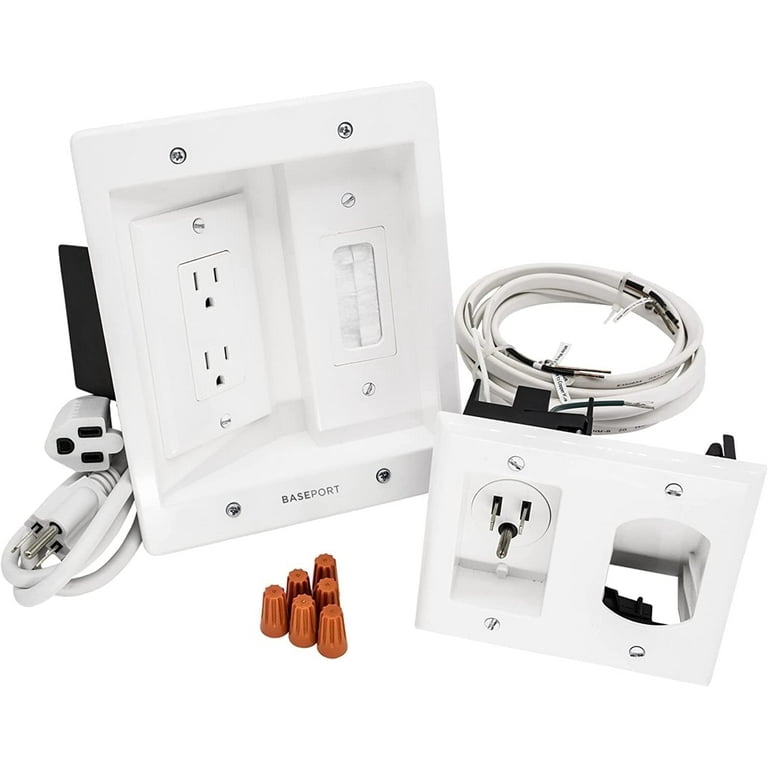
Use the cable management features included with your Perlesmith mount to conceal power and HDMI cables. Most models include channels or clips to route cables neatly behind the TV. Avoid sharp bends in HDMI cables that can cause signal issues. Secure cables to the wall with low-profile mounts every 12-18 inches. For the cleanest look, run cables inside the wall using an in-wall cable management kit (check local electrical codes first).
Troubleshooting Common Perlesmith Installation Issues
What to Do When the Mount Doesn’t Align with Studs
If your desired position doesn’t align with studs, consider these solutions: use a Perlesmith mount designed for off-stud installation (check model specifications), install a mounting board between studs, or adjust your preferred mounting location slightly. Never mount directly to drywall without proper reinforcement—this creates a serious safety hazard. Some Perlesmith models include extra-wide mounting plates specifically for challenging stud placements.
Fixing Minor Leveling Problems After Installation
If your TV appears slightly tilted after mounting, don’t panic. Many Perlesmith mounts include micro-adjustment features to correct minor alignment issues. Loosen the top mounting bolts slightly while keeping the TV supported, then adjust position before retightening. For fixed mounts without adjustment features, you may need to remove the TV and remount the wall plate with corrected positioning.
Final Note: Proper Perlesmith TV wall mount installation requires careful attention to detail at every step. Double-check each connection point and never skip safety verification steps. Once installed, periodically check your mount for any signs of loosening, especially during the first few months. For ongoing maintenance, dust around mounting points and verify screw tightness annually. If you encounter issues beyond your comfort level, consult a professional installer—your safety is worth more than any DIY savings. Always keep your Perlesmith instruction manual for future reference when adjusting or removing your mounted TV.

