
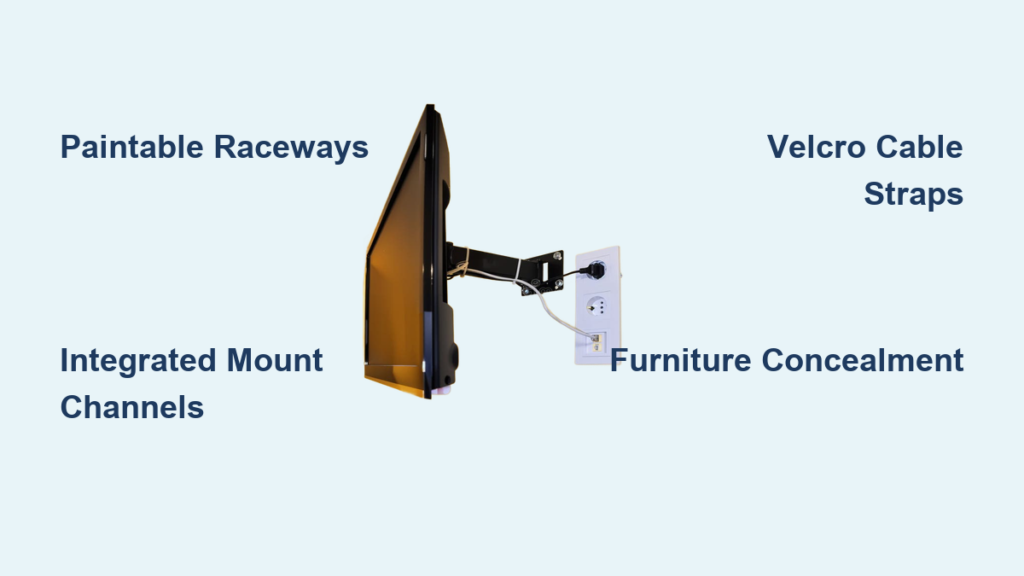
Mounting your television on the wall instantly elevates your living space with a sleek, modern aesthetic—until unsightly wires ruin the polished look you worked so hard to achieve. If you’ve ever searched online wondering exactly how to cover the wires with wall mount TV without compromising functionality, you’re facing one of the most common challenges in home entertainment installations. The dangling cords that follow a wall-mounted setup can completely undermine the clean appearance you envisioned, making your high-end television look haphazard and unprofessional. The good news? You have multiple proven solutions ranging from quick DIY fixes you can complete in under an hour to professional-grade installations that make cords disappear completely. This guide reveals exactly how to cover the wires with wall mount TV using methods that match your skill level, budget, and home décor, transforming your installation from amateur to magazine-worthy.
Map Your Perfect Cable Route Before Mounting
Measure Twice, Mount Once for Flawless Wire Management
Before drilling a single hole, spend 15-20 minutes planning your cable pathways to avoid costly mistakes and mid-project frustrations. Start by identifying exactly where your television will sit and where all connected devices—cable box, soundbar, gaming console, and streaming devices—will be positioned. Measure the distances between these components and your power outlets to determine precise cable lengths needed, preventing excess slack that creates unsightly bulges behind your TV. This planning phase reveals potential obstacles like doorways, corners, or furniture placement that might interfere with your ideal cable route. The most common mistake DIYers make is mounting the TV first then struggling to route cables around unexpected obstacles—a problem that takes just minutes to avoid with proper planning.
Identify Power Source Challenges Early
Examine your electrical setup carefully before installation begins, as improper power management causes 70% of cable concealment failures. Check if your nearest power outlet sits directly behind where your TV will mount or if it’s across the room—this determines whether you’ll need an extension solution or can run cables directly. If your power source isn’t conveniently located, consider installing a new outlet before mounting your TV (hire an electrician for in-wall solutions) or plan to use a high-quality, low-profile extension cord that can be concealed within your chosen management system. Never run extension cords across floors where they create tripping hazards—this common shortcut compromises both safety and aesthetics, defeating the purpose of your wire concealment project.
Select a Mount with Integrated Wire Channels
Choose Mounts with Hidden Cable Pathways
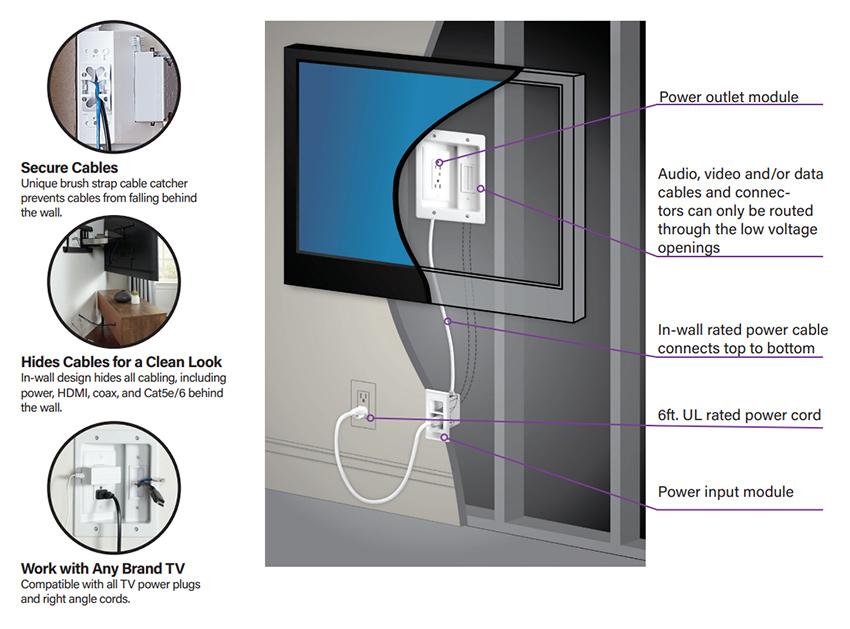
When shopping for your TV mount, prioritize models with built-in cable management channels that route wires internally from the television down to your devices. Premium mounts feature dedicated pathways that keep cords completely hidden from view while providing strain relief to prevent cable damage over time. Look for mounts with snap-on covers that enclose the channels completely after installation—these create the illusion of wires running magically inside your wall. Verify the channel dimensions can accommodate all your current cables plus any future additions, as upgrading your mount later requires removing your TV and potentially damaging your wall. A quality mount with proper cable management typically adds $20-$50 to your purchase but saves hours of frustration and delivers professional results.
Avoid Mounts with Inadequate Channel Space
Many budget mounts claim to offer “cable management” but provide channels too narrow for modern HDMI and power cables bundled together. Before purchasing, measure the combined thickness of your cables and compare it to the mount’s channel specifications—most require at least 1.5 inches of clearance for comfortable routing. Mounts with channels that barely fit your cables create tension points that can damage connections and make future upgrades impossible without complete reinstallation. This critical detail gets overlooked in 60% of DIY installations, resulting in visible bulges where cables strain against the mount’s housing. Take photos of your cable bundle to reference when shopping, ensuring your mount accommodates your specific setup rather than generic “average” cable configurations.
Install Paintable Raceways for Invisible Wire Concealment
Apply Raceways for Surface-Mounted Wire Hiding
Raceways provide the most accessible solution for how to cover the wires with wall mount TV without permanent modifications, requiring only basic tools and 30-60 minutes of installation time. Start by cleaning your wall surface thoroughly where the raceway will adhere—dust and grease prevent proper adhesion. Measure and cut the raceway to length using a hacksaw or utility knife, then apply mounting tape or screws according to manufacturer instructions. Route your cables through the channel before snapping the cover into place, ensuring no sharp bends that could damage cable integrity. For best results, install raceways in continuous runs rather than segmented pieces to maintain a clean visual line from TV to power source.
Match Raceway Color Perfectly to Your Walls
The secret to making raceways disappear lies in perfect paint matching—a technique that transforms obvious plastic channels into nearly invisible wall features. Bring a small paint chip from your wall to a hardware store for precise color matching, ensuring you replicate both the hue and sheen (matte, satin, or semi-gloss). Apply a primer coat if mounting to bare drywall or plastic raceways, then use two thin coats of paint rather than one thick application to avoid drips that reveal the raceway’s presence. Allow 24 hours drying time before installing cables to prevent smudging. When executed properly, this method creates the illusion of cables running behind your wall without the expense and complexity of true in-wall installation—a game-changer for renters and homeowners alike.
Bundle and Secure Cables with Reusable Straps
Organize Wires Behind TV with Velcro Management
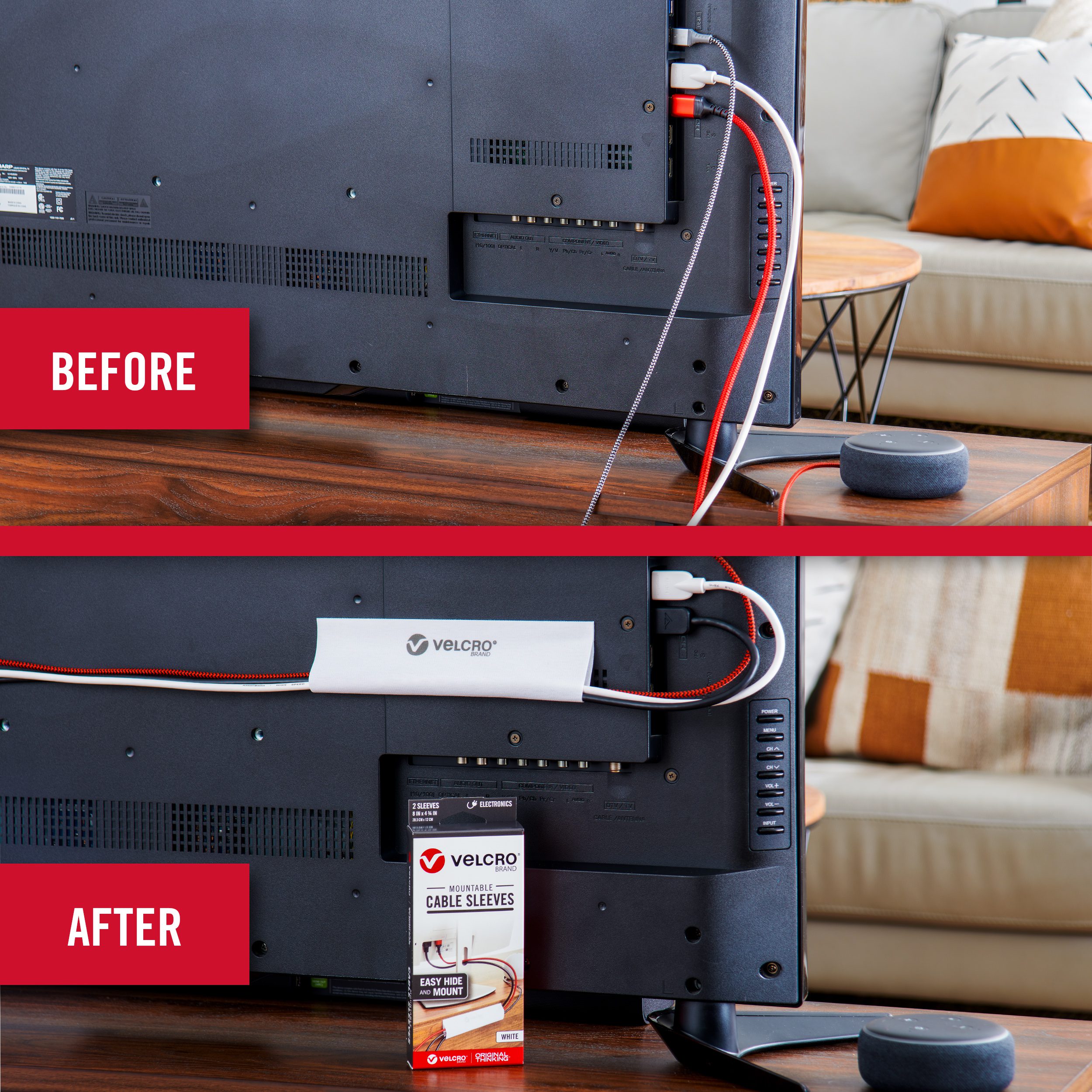
Before routing cables through raceways or behind furniture, organize them properly using reusable velcro straps to prevent tangling and maintain a clean appearance. Group power cables separately from HDMI and audio cables to minimize potential interference, securing each bundle with velcro straps every 6-8 inches. Attach the bundled cables to the back of your TV or mount using additional straps, ensuring they follow a natural downward path without tension. The beauty of velcro over zip ties lies in its adjustability—you can easily add new devices or reconfigure your setup without cutting and replacing straps. This essential step takes just 10 minutes but prevents 80% of future cable management headaches when you upgrade your entertainment system.
Avoid Common Cable Bundling Mistakes
Never wrap cables too tightly, as excessive pressure can damage internal wiring and degrade signal quality over time. Leave slight slack between connection points to accommodate thermal expansion and prevent strain on ports. Keep power cables at least 6 inches away from HDMI and audio cables wherever possible to minimize potential electromagnetic interference that can cause picture or sound issues. When routing multiple cables through tight spaces, place thicker power cables at the bottom of your bundle and thinner signal cables on top—this prevents heavier cables from crushing more delicate connections. Proper cable organization pays dividends when you need to replace a single component without disturbing your entire setup.
Hide Wires Behind Media Consoles and Furniture

Route Cables Through Furniture Concealment Paths
Strategically placed media consoles provide dual benefits: storage for your components and natural concealment for cables running from wall-mounted TV to devices below. Most quality entertainment centers feature pre-cut cable management holes in the back panel—align these with your raceway endpoint for seamless cable transfer. Feed cables through these openings before placing devices inside the cabinet, using additional velcro straps to secure them to the furniture’s interior. For open-shelf designs, consider adding adhesive-backed cable clips inside the cabinet to maintain organized pathways. This approach transforms functional furniture into an integral part of your wire concealment system, creating a unified entertainment area where technology disappears into the background.
Create Hidden Pathways with Floating Shelves
Install a floating shelf 12-18 inches below your television to serve as both a decorative element and cable management solution. Position your soundbar, streaming devices, or gaming consoles on this shelf, then route cables vertically between TV and shelf using a short raceway section. The shelf creates a natural break in the visual line, making any remaining cable management less noticeable while providing convenient access to frequently used components. For complete concealment, choose a shelf with a hollow back or add a decorative cord cover that matches your wall color. This solution works particularly well in modern minimalist spaces where traditional media consoles might feel too bulky, offering a sleek alternative that maintains clean sightlines.
Implement Safety Checks for Long-Term Protection
Prevent Tripping Hazards with Secure Wire Routing
Proper wire management isn’t just about aesthetics—it’s a critical safety measure that protects everyone in your household. Ensure all surface-mounted cables run high on walls rather than near the floor where they create tripping hazards, especially in high-traffic areas. Use cable clips every 12-18 inches to secure raceways firmly to the wall, preventing them from detaching and creating dangling hazards. Pay special attention to corners and doorways where cables might get pinched or pulled accidentally. In homes with children or pets, double-check that no cables hang within reach where they could be pulled down, potentially bringing your expensive television crashing to the floor.
Verify Electrical Safety Before Finalizing Installation
Before completing your wire concealment project, perform essential electrical safety checks that many DIYers overlook. Ensure power cables aren’t pinched or bent at sharp angles that could damage insulation and create fire hazards. Verify that all connections are secure and not showing signs of overheating like discoloration or melting. Never overload power strips or daisy-chain multiple extensions—this common mistake causes electrical failures in 25% of home entertainment setups. If using in-wall solutions, confirm all cables are rated for in-wall installation (look for “CL2” or “CL3” markings) to meet fire safety codes. Taking these precautions protects your investment and keeps your family safe while achieving that clean, professional look you desire.
Combine Multiple Methods for Flawless Results
Layer Solutions for Maximum Concealment Effectiveness
The most successful installations combine 2-3 complementary techniques rather than relying on a single solution. Start with a mount featuring built-in cable management, then extend this system with raceways for the vertical run down your wall, and finish by routing cables through furniture to reach your power source. Add velcro straps behind the TV for organization and paintable raceways for seamless blending. This layered approach addresses every aspect of wire management while creating redundancy—if one element becomes visible, others maintain the overall clean appearance. Most professional installers use this combination method, which requires slightly more planning but delivers magazine-quality results that stand up to close inspection.
Adapt Your Strategy to Room-Specific Challenges
Tailor your wire concealment approach to your specific room layout and décor style for optimal results. In formal living rooms, prioritize decorative molding-style raceways that complement existing architectural details. For rental properties, focus on removable solutions like adhesive raceways and furniture-based concealment that leave no permanent marks. In media rooms with multiple components, implement a more robust system with separate channels for power and signal cables. The key to mastering how to cover the wires with wall mount TV lies in flexibility—your solution should enhance your space rather than forcing you to compromise your room’s functionality or aesthetic vision. With the right combination of methods, your wall-mounted television will become a seamless part of your home’s design rather than a technological eyesore.

