
Your Panasonic television has served you well mounted on the wall, but now you need to take it down for a move, repair, or cleaning. The question “how to remove Panasonic TV from wall mount” sends many homeowners into a panic—they worry about dropping their expensive TV, damaging the wall, or getting stuck with a stubborn mounting system. This comprehensive guide provides step-by-step instructions to safely detach your Panasonic television from any wall mount system, whether it’s a basic fixed mount or a complex articulating bracket. You’ll learn exactly what tools you need, how to identify your specific mount type, and proven techniques to release even the most stubborn installations without causing damage to your television or wall.
The process of removing a Panasonic TV from its wall mount relies on understanding the two key components: the wall plate secured to your studs and the mounting bracket attached to your television’s back. These connect through various mechanisms including screws, retaining clips, or specialized release systems that differ based on your mount’s design. Before you grab a screwdriver, take five minutes to examine how your specific mount secures the television—this knowledge prevents costly mistakes and makes the entire process significantly smoother. Whether you’re dealing with a modern quick-release system or an older mount with obscure mechanisms, this guide covers every scenario you might encounter.
Identify Your Panasonic TV Mount Type Before Starting

Your removal approach depends entirely on which wall mount system holds your Panasonic television. Recognizing your specific mount type saves hours of frustration and prevents damage to both your TV and wall.
Fixed Mounts: The Simplest Removal Process
Fixed mounts attach your Panasonic TV flush against the wall with no movement capability. These typically use a straightforward plate system where four screws connect directly to your television’s mounting points. Look for visible screws at each corner of the television’s back panel—these mounts usually require only a screwdriver to release. If you see rubber caps covering the screw heads, gently pry them off with a plastic tool before attempting removal.
Tilting Mounts: Handle Angle Adjustment Mechanisms First
Tilting mounts allow vertical adjustment through a hinged bracket system. These often feature bolts along the sides or bottom that control the angle. Before attempting removal, release any tension on these adjustment mechanisms—many users overlook this step, making the television impossible to detach. Locate the tilt adjustment knobs or bolts, usually found near the bottom of the mount, and loosen them completely before proceeding with standard removal steps.
Full-Motion Mounts: Navigate Multiple Locking Points
Full-motion mounts provide both tilting and side-to-side movement through articulated arms. These complex systems often have multiple locking points that must be disengaged simultaneously. Check for release levers on both sides of the mount—some require pressing both levers while lifting the TV. Older full-motion mounts might use hidden metal stoppers that pull out and up to release the lower bracket. If your mount has a pull cord, locate its attachment point on the mount assembly before attempting removal.
Gather These Essential Tools for Safe TV Removal
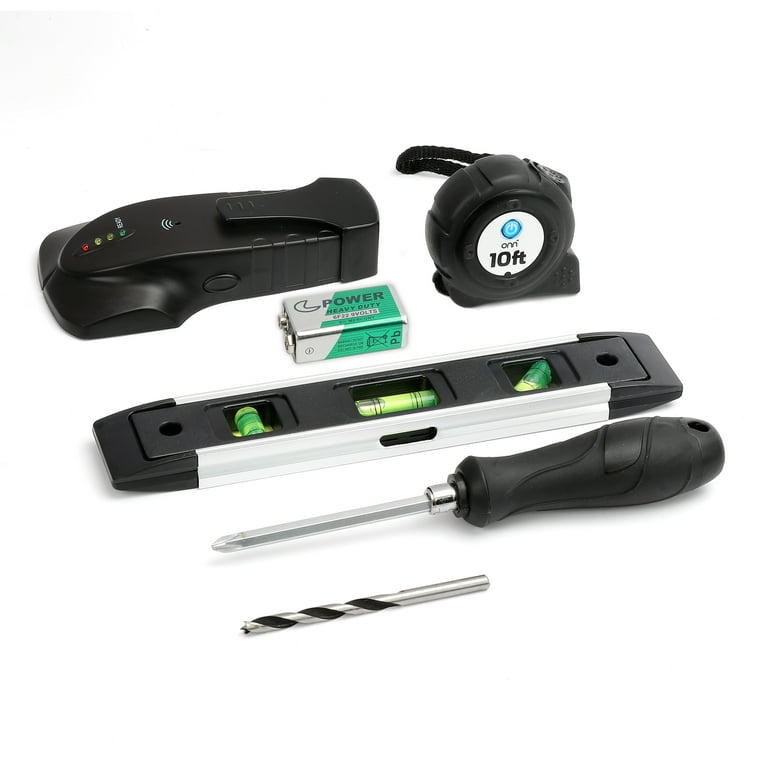
Having the right tools within reach prevents frustration and protects your Panasonic television during removal. Rushing this step leads to stripped screws, dropped TVs, or damaged wall surfaces.
Must-Have Tools Checklist
- Long-reach screwdriver or socket wrench with extensions
- Needle-nose pliers for gripping small components
- Magnetic screw holder to prevent lost fasteners
- Plastic pry bars (never use metal tools near your TV)
- Drop cloth or moving blanket for TV placement
- Ziplock bags and labels for organizing hardware
- Flashlight or headlamp for inspecting tight spaces
For mounts installed within 2 inches of the wall, add flexible screwdrivers or smartphone endoscope cameras to your toolkit. These help locate hidden fasteners without risking damage to your television’s back panel. Never attempt removal without a helper—Panasonic TVs heavier than 40 inches require two people for safe handling.
Disconnect All Cables and Power Before Touching Mount Hardware
Begin by turning off and unplugging your Panasonic television completely. Verify the power indicator light has gone out before proceeding—this prevents electrical shock and eliminates accidental power-on during removal.
Smart Cable Management Techniques
- Take photos of all cable connections before disconnecting
- Label each cable with masking tape noting its port location
- Wrap cables loosely with velcro ties (not zip ties) to prevent damage
- Store power cords and HDMI cables in separate labeled bags
Many users skip proper cable documentation only to struggle during reinstallation. The 90 seconds spent labeling connections now saves 20 minutes of frustration later. If your Panasonic TV connects to a soundbar, disconnect this first—some soundbars mount directly to the TV and must be removed before the main unit.
Release the Mounting Locking Mechanism Correctly
This critical step varies dramatically based on your mount type but follows universal principles that prevent damage.
Fixed Mount Release Technique
For fixed mounts, locate the four screws securing the TV to the wall plate. These typically appear at each corner of the television’s back panel. Remove each screw completely using the appropriate screwdriver—never force them as stripped screws complicate reinstallation. Some fixed mounts use captive screws that remain attached to the TV; these require only partial loosening before the TV releases.
Tilting and Full-Motion Mount Release Sequence
For adjustable mounts, follow this precise sequence:
1. Locate any visible release levers or buttons (often red for visibility)
2. Press or flip these mechanisms firmly while supporting the TV’s weight
3. Listen for the audible “click” indicating release
4. If no levers exist, try lifting slightly, pulling outward at the bottom, then lifting upward
Older mounts frequently require pulling metal stoppers out and up to release the lower bracket. If your mount resists release, stop immediately—forcing it causes damage. Re-examine for hidden mechanisms or consult the mount’s manual before proceeding.
Remove Mounting Fasteners Without Stripping Screws
With the primary lock released, locate and remove any remaining fasteners connecting your Panasonic TV to the mount.
Fastener Removal Best Practices
- Work methodically from top to bottom to maintain TV stability
- Place each fastener immediately into labeled containers
- Use penetrating oil on stubborn screws (wait 15 minutes before retrying)
- Never use power tools—they apply too much torque for TV mounting hardware
For tight-clearance installations, use a magnetized extension tool to retrieve fallen screws before they disappear behind walls. If you encounter stripped screw heads, place a rubber band between the screwdriver and head for better grip—this simple trick works in 80% of stripping cases.
Detach Your Panasonic TV from the Mount Safely
The moment of detachment requires careful coordination between you and your helper.
Proper Detachment Technique
- Position yourself directly in front of the TV with feet shoulder-width apart
- Have your helper support the TV’s full weight from below
- Guide the TV straight forward 1-2 inches to clear the wall plate
- Lift straight up while maintaining forward pressure until clear
Never attempt to twist or angle the TV during removal—this stresses the mounting points and can crack the television’s chassis. Once detached, immediately place the TV face-down on your prepared drop cloth with even support across the entire surface.
Handle Tight-Clearance Installations Like a Pro
:max_bytes(150000):strip_icc()/SPR-how-to-remove-tv-from-wall-mount-8417620-04-3b7849eeb0f142aeaf099a121826d001.jpg)
When less than 1 inch separates your Panasonic TV from the wall, standard techniques fail—use these specialized approaches instead.
Tight Space Solutions
- Shine a flashlight behind the TV at a 45-degree angle to spot hidden fasteners
- Use an extendable magnetic pickup tool to retrieve screws
- Employ a smartphone with rear camera as a mirror to see behind the TV
- For extremely tight spaces, remove the TV’s bezel (if Panasonic documentation permits)
Some installations require removing the mount’s wall plate first while leaving the TV bracket attached. If you can’t access mounting screws from behind the TV, consider this alternative approach—it sacrifices the mount but preserves both your wall and television.
Troubleshoot Common Removal Problems Immediately
When your Panasonic TV resists removal despite following all steps, diagnose these frequent issues.
Television Won’t Release From Mount
If the TV won’t budge after removing visible fasteners:
– Check for secondary locking mechanisms near the mount’s base
– Examine if accumulated dust has bonded components together
– Try applying gentle upward pressure while wiggling the TV side-to-side
Stripped or Stuck Fasteners
For damaged screw heads:
– Use a screw extractor designed for stripped fasteners
– Apply penetrating oil and wait overnight for stubborn screws
– If all else fails, carefully drill out the screw head (last resort)
Organize Components for Future Reinstallation
After successful removal, store all parts systematically.
Professional Organization Method
- Place matching fasteners in individual labeled bags (e.g., “Top Left Bracket”)
- Take sequential photos of the disassembly process
- Store the wall plate and brackets together with all hardware
- Note the orientation of each component with arrows drawn on tape
This organization saves significant time if you reinstall the mount later. If you’re patching the wall, keep all hardware together in case you need to remount elsewhere.
Complete Your Panasonic TV Removal Successfully
With your television safely detached, inspect both the wall and TV for maintenance needs. Clean accumulated dust from behind the mount location and check cable connections for wear. If you’re not reinstalling immediately, store your Panasonic TV upright in its original box with adequate padding.
Patience and careful technique always yield better results than force during TV removal. When in doubt about your specific mount system, consult Panasonic’s support resources or hire a professional installer—this small investment prevents costly damage to your valuable television. By following these precise steps, you’ve successfully answered the critical question of how to remove Panasonic TV from wall mount without damage or frustration.

