
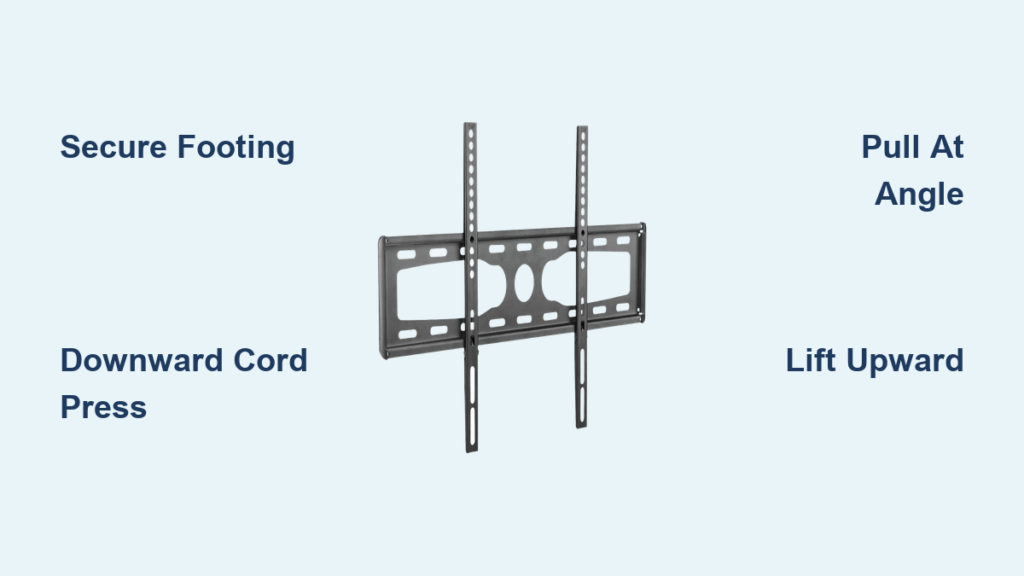
That moment when you need to take your TV off the wall but can’t remember how the Dynex mount works—it’s frustratingly common. Whether you’re moving to a new home, rearranging your entertainment setup, or simply need to access the wall behind your television, knowing exactly how to remove your TV from a Dynex wall mount will save you from unnecessary stress. The good news is that Dynex designed their mounts with user-friendly removal in mind, featuring a clever dual-cord locking system that requires no tools and minimal technical know-how. In this guide, you’ll discover the precise sequence of movements needed to safely detach your television in under five minutes, along with expert tips to avoid common pitfalls that could damage your expensive equipment.
Secure Proper Position Before TV Removal
Before you even touch your television, position yourself correctly to maintain control throughout the removal process. Stand with your feet shoulder-width apart directly in front of the TV, creating a stable base that prevents accidental slips or loss of balance. Make sure your shoes have good traction on the floor—no socks on hardwood or tile—and clear away any obstacles that might trip you during the maneuver. For televisions larger than 55 inches, have a second person stand ready to assist, even though the Dynex mount is engineered for single-person operation. This backup support becomes crucial if the locking mechanism requires more force than expected or if you lose your grip momentarily.
Place your dominant hand along the bottom center edge of the television frame while positioning your other hand along the opposite side for balanced support. Your fingers should wrap around the bottom edge with your palms facing upward to catch the weight as it releases from the mount. Never grip the screen itself—always hold the frame or bezel to avoid putting pressure on the delicate display panel. If your television has a curved screen, adjust your grip slightly inward to maintain proper leverage without risking damage to the fragile edges.
Activate Dual-Cord Release Mechanism Correctly

Locate the two release cords positioned at the rear bottom corners of the mount assembly—these are your keys to detaching the television safely. Many users make the critical mistake of pulling these cords sideways or at an angle, which won’t properly disengage the locking clips. Instead, use your thumbs to apply firm, consistent downward pressure on both cords simultaneously. Think of it like pressing elevator buttons rather than pulling ropes—the downward motion is what triggers the release mechanism.
While maintaining steady pressure on the cords, slowly pull the bottom edge of the television toward you at a 15-20 degree angle away from the wall. You should feel subtle resistance as the bottom retention clips begin to disengage. Don’t rush this step—applying too much force too quickly can cause the television to lurch forward unexpectedly. The ideal technique involves a smooth, continuous motion where cord pressure and outward pulling happen in perfect synchronization. When done correctly, you’ll hear a distinct “click” as the bottom clips release, and the television will pivot slightly away from the wall at the bottom.
Why Downward Cord Motion Is Non-Negotiable
The Dynex wall mount’s engineering relies entirely on downward cord manipulation to release the locking mechanism—any other direction simply won’t work. This design prevents accidental disengagement from bumps or vibrations while the TV remains mounted. If you’re struggling to release your television, double-check that your thumbs are pressing straight down on the cords rather than pulling them toward you. Many users unknowingly angle their thumbs, which binds the mechanism instead of releasing it. For stubborn mounts that haven’t been operated in months, try rocking the bottom of the TV gently outward while maintaining downward cord pressure—this subtle motion often breaks the initial resistance without requiring excessive force.
Complete TV Detachment Without Damage
Once the bottom retention clips have released (you’ll feel the television pivot freely at the bottom), immediately shift your grip to support the entire weight of the screen. Keep your thumbs on the release cords for a moment longer as you begin lifting the television upward and away from the wall bracket. The top mounting hooks are designed to slide out smoothly once the bottom is free, but they require a deliberate upward motion—not just pulling straight out. Imagine “unhooking” the top of the television from its mounting points with a gentle lifting arc.
As the television separates from the wall, maintain a firm grip along the bottom edge while allowing the top to angle slightly toward you. This position keeps the center of gravity over your body, reducing strain on your back and arms. For televisions weighing more than 30 pounds, bend your knees and lift with your legs as you bring the screen to a horizontal position. Never attempt to carry a detached television vertically—it’s unstable and risks damaging the screen against door frames or furniture during transport.
Proper Handling for Curved and Ultra-Thin TVs
Curved and OLED televisions require special handling during removal due to their fragile construction. When detaching these premium models from your Dynex wall mount, position your hands slightly inward from the extreme edges to avoid putting pressure on the delicate curved portions. For ultra-thin TVs with minimal bezels, grip the reinforced mounting points on the back panel rather than the screen edges. Consider placing a soft microfiber cloth between your hands and the television frame to prevent accidental scratches during the removal process. These high-end displays often have less structural rigidity, so move with extra deliberation—sudden motions can cause internal damage even if the screen appears intact.
Troubleshoot Stubborn Release Mechanisms

If the release cords won’t budge despite proper downward pressure, don’t force them—that’s the fastest way to damage the mechanism. First, check for obstructions like dust buildup or paint splatters that might be binding the cords. A can of compressed air directed at the cord channels often clears minor blockages without disassembly. For mounts exposed to humidity or infrequent use, the plastic components may have developed slight adhesion—gently rocking the television side-to-side while applying cord pressure usually breaks this bond.
When to Use the Two-Person Release Technique
For televisions larger than 65 inches or particularly stubborn mounts, the two-person technique significantly improves control and reduces strain. One person stands directly in front of the television, gripping the bottom edge firmly while manipulating the release cords. The second person stands slightly behind and to the side, ready to support the top portion as it releases from the wall bracket. This positioning allows the front person to focus entirely on the release mechanism while the rear person manages the television’s weight distribution during detachment. Coordinate your movements with a simple countdown (“3-2-1-release”) to ensure synchronized action that prevents sudden shifts in weight.
Essential Safety Checks Before TV Removal
Before attempting to remove your television, verify three critical safety factors that could prevent accidents. First, ensure the wall mount is properly secured to wall studs—not just drywall anchors—as loose mounting hardware can cause catastrophic failure during removal. Second, check that your path to a safe placement area is completely clear of obstacles, pets, and people—dropping a television during removal causes more damage than leaving it mounted. Third, confirm the television is unplugged from all power sources and connected devices, as dangling cables can create dangerous tripping hazards or yank components during detachment.
Never attempt TV removal while standing on unstable surfaces like wobbly stools or folded chairs. If your television mounts higher than comfortable reach, use a properly rated step ladder with a wide base that allows you to maintain three points of contact. The few minutes spent setting up proper footing could prevent serious injury or expensive equipment damage.
Post-Removal Mount Inspection Protocol

After successfully removing your television, take 60 seconds to inspect the Dynex wall mount before deciding whether to reinstall or remove it from the wall. Check the release cords for fraying or excessive wear—these should move smoothly through their channels without catching. Examine the mounting bracket for any signs of bending or deformation, particularly around the top hook points where stress concentrates during installation and removal. Verify that all wall anchors remain tight by gently wiggling the bracket; any movement indicates compromised mounting that requires repair before reinstalling your television.
If you plan to reinstall the television later, leave the wall bracket in place and cover it with a plastic bag to prevent paint or debris from entering the mechanism. For long-term storage, apply a light coat of silicone lubricant to the release mechanism components to prevent future binding—never use petroleum-based lubricants as they can degrade plastic parts over time.
Summary: Mastering Dynex TV Removal in Four Key Steps
Removing your TV from a Dynex wall mount consistently requires mastering four precise actions in sequence: secure proper footing and grip along the bottom edge, apply firm downward pressure on both release cords simultaneously, pull the bottom of the television outward at a slight angle while maintaining cord pressure, then lift the top portion upward to disengage from the mounting hooks. This entire process should take less than three minutes when performed correctly, with no tools required beyond your hands.
Remember that the downward cord motion is non-negotiable—pulling sideways or at an angle won’t activate the release mechanism properly. If you encounter resistance, troubleshoot with compressed air or the two-person technique rather than forcing the cords. Always prioritize safety by unplugging all connections, clearing your path, and using proper lifting technique to protect both yourself and your expensive television. With these techniques mastered, you’ll confidently handle any Dynex wall mount removal situation, whether you’re rearranging your living space or preparing for a move.

