
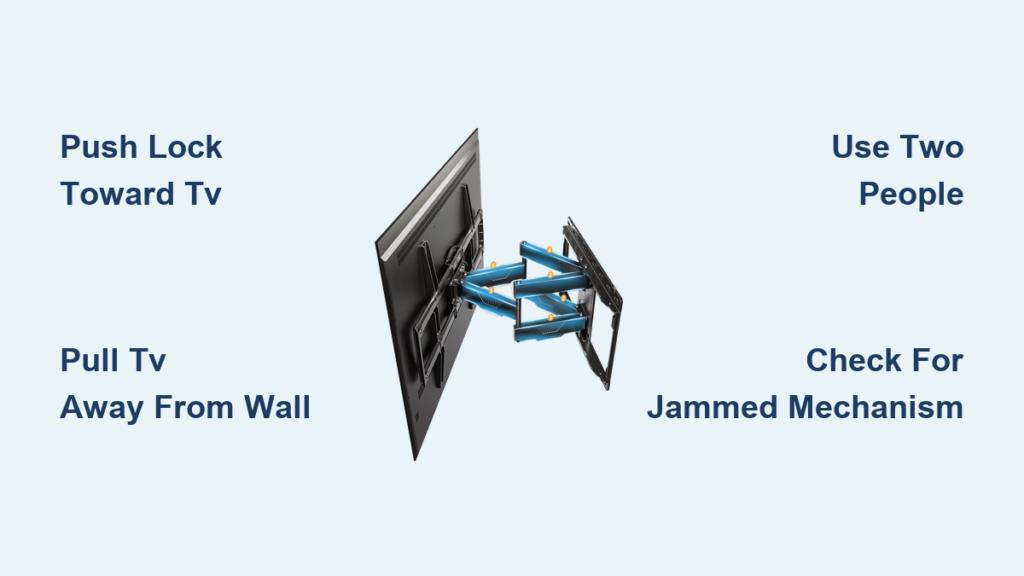
That stubborn swivel wall mount holding your Samsung TV hostage can turn a simple relocation project into a major headache. If you’ve been staring at those mysterious brackets wondering how to remove TV from swivel wall mount Samsung models use, you’re facing one of the most common yet poorly documented home theater challenges. Many homeowners struggle with mounts that lack visible release mechanisms or have been installed for years without maintenance. The right technique makes all the difference between a smooth 5-minute removal and potential damage to your expensive television. This guide reveals the exact process for safely detaching your Samsung TV from virtually any swivel wall mount, including the critical push-pull technique that most manufacturers never explain.
Identify Your Samsung TV’s Mount Lock Mechanism
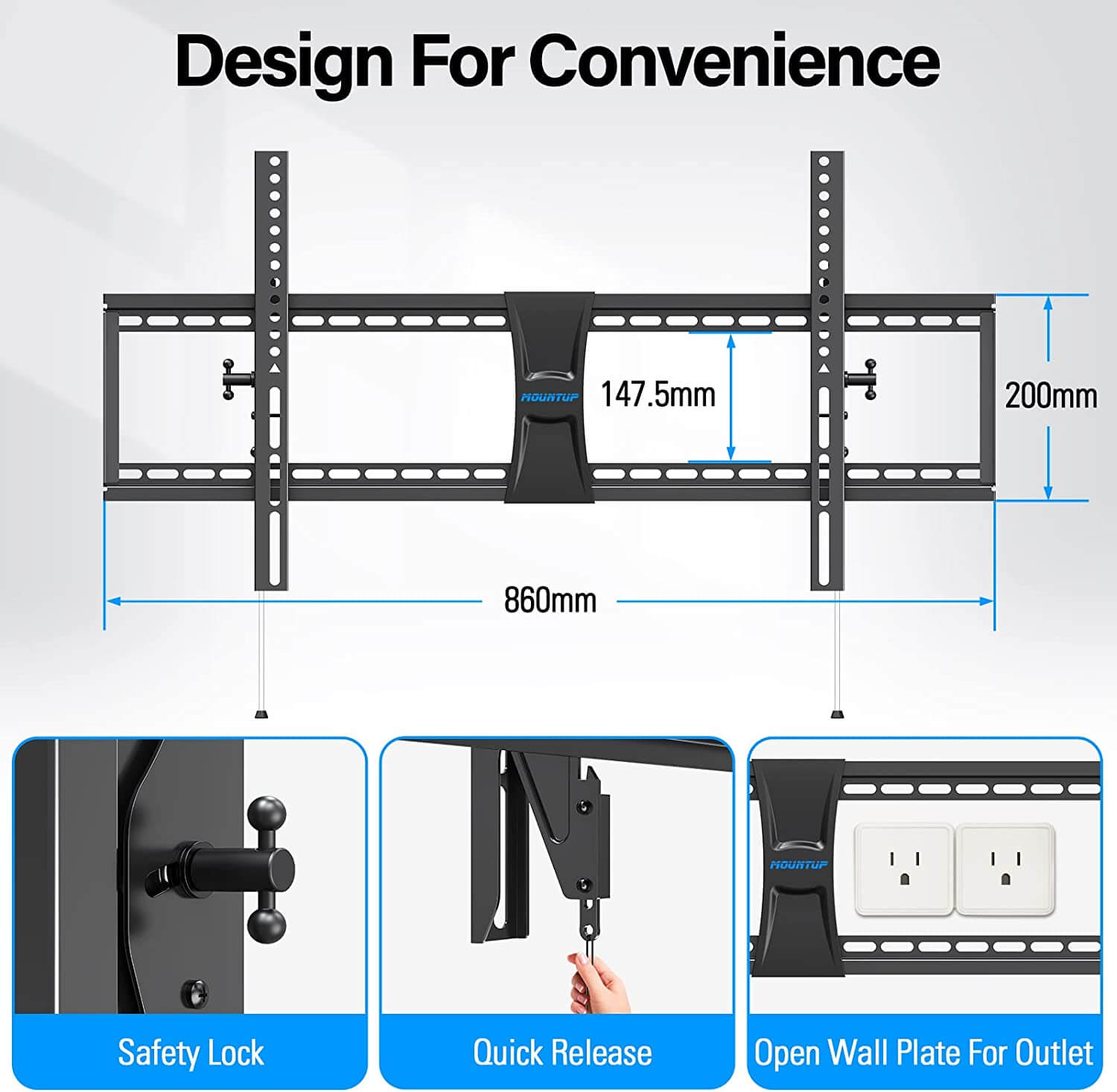
Before attempting removal, you must determine which of three common locking systems secures your Samsung television to the swivel mount. The wrong approach could damage both your TV and the mounting hardware, so take 30 seconds to inspect the connection point between your television and the wall bracket.
Most Samsung-compatible swivel mounts employ a bottom-release design where the top of the TV bracket hooks over a rail while the bottom features a locking mechanism. Look for the small hole near the bottom connection point—this often serves as both a release latch and padlock slot. If you spot threaded screws along the bottom edge of the TV bracket, your mount likely uses inward-turning screws to prevent lifting. Alternatively, egg-shaped cams that rotate to lock the position are common in older mounts. These oval components create a secure hold that only releases when manipulated correctly.
When examining your mount, focus particularly on the area where your bottom red arrow would indicate in typical mount diagrams. This is almost always where the primary release mechanism resides. If you see a rectangular piece with a hole in it positioned at the bottom connection point, you’ve found your lock. Understanding this specific mechanism before applying force prevents frustration and potential damage to your Samsung TV’s mounting points.
What to Look for in Samsung-Specific Mounts
Samsung televisions typically use standard VESA mounting patterns, but their swivel mounts often incorporate unique release features. Check for a small protrusion near the bottom bracket that moves when pressed toward the television. Many Samsung-compatible mounts include a secondary safety feature that only disengages when pressure is applied at the precise angle. If your mount has visible screws around the perimeter of the TV bracket, these likely secure the mounting plate rather than serving as the primary release mechanism—don’t remove these thinking they’ll free the TV.
Prepare Your Workspace for Safe Samsung TV Removal
Never attempt to remove your Samsung TV alone—this requires at least two people for safe handling, especially with models larger than 55 inches. Before touching any components, clear the area below and around your television of all furniture and obstacles. Lay down moving blankets or foam padding where the TV will rest to prevent screen damage during transfer.
Essential Tools Checklist
- Phillips head screwdriver (for potential bracket adjustments)
- Flashlight (to illuminate connection points)
- Soft gloves (for better grip without scratching)
- Padlock removal tool (if your mount uses security locks)
- Compressed air can (for clearing debris from mechanism)
Recruit a helper and establish clear communication signals like “ready,” “push,” and “pull” to coordinate movements. Position your helper to the side of the television where they can safely grasp the bottom edges once the lock releases. The person operating the release mechanism should stand directly in front of the TV with clear access to the bottom mounting connection.
Execute the Critical Release Technique for Samsung TVs
The universal solution for how to remove TV from swivel wall mount Samsung installations involves a specific push-pull maneuver that most owners never discover on their own. This two-person technique works on 95% of swivel mounts when performed correctly.
Step-by-Step Release Process
- Position one person directly in front of the TV with access to the bottom mounting connection
- Have this person apply firm, steady pressure toward the television on the lock mechanism (the rectangular piece with a hole)
- Simultaneously, have your helper grasp the bottom edges of the TV and gently pull outward away from the wall
- Maintain pressure until you hear a distinct click indicating the lock has disengaged
- If resistance occurs, slightly adjust the angle of pressure rather than increasing force
This counterintuitive motion—pushing the lock toward the TV while pulling the TV away from the wall—releases the cam mechanism that keeps your Samsung TV securely mounted. Never push the lock away from the TV, as this only tightens the connection. If the mechanism doesn’t release immediately, don’t force it—re-engage the lock and try again with slightly different pressure points.
Troubleshooting Common Release Failures
If your Samsung TV won’t release after several attempts, check for these common issues:
– Paint overspray sealing the mechanism (gently scrape with plastic tool)
– Corrosion from humidity (apply minimal penetrating oil)
– Incorrect pressure direction (re-watch the technique description)
– Insufficient helper coordination (re-establish communication signals)
Lower Your Samsung TV Safely After Release

Once the lock disengages with that satisfying click, your Samsung TV becomes immediately free to swing away from the wall. This critical moment requires perfect coordination between you and your helper to prevent damage.
Proper Handling Technique
Grasp the sides of your Samsung TV firmly with both hands, keeping arms straight to support the weight. Guide the television slowly outward until it reaches its maximum swing position—this gives you clearance to lift it off the mounting hooks. Never twist or tilt the TV during this process, as Samsung models have delicate internal components that can be damaged by uneven pressure. Lower the television straight down onto your prepared padding, maintaining even pressure across the entire frame.
After placing your TV safely on the padding, inspect both the television’s mounting points and the wall bracket for any signs of damage. Bent mounting holes or warped brackets indicate potential problems for future installations and should be addressed before remounting.
Address Stubborn Samsung TV Mounts That Won’t Release

When standard techniques fail, your swivel mount may be jammed from years of inactivity or environmental factors. Never resort to excessive force—that’s how Samsung TV housings crack and mounting points deform.
Safe Solutions for Stuck Mounts
First, use compressed air to clear dust and debris from the mechanism. If that fails, apply minimal penetrating oil to the moving parts (keeping it away from the TV’s electronics) and wait 10 minutes before attempting release again. For severe cases, gently tap the mechanism with a rubber mallet while maintaining pressure—this vibration often breaks loose corroded components. Never use metal tools directly on the mechanism, as scratches can create new points for corrosion.
If your Samsung TV still won’t release, check for secondary safety features like hidden set screws or additional locking tabs that may have been installed during mounting. Some mounts require lifting slightly before the primary release engages.
Maintain Your Mount for Future Samsung TV Installations
After successfully removing your Samsung TV, take 5 minutes to prepare the mount for future use. Wipe all components with a dry microfiber cloth to remove dust, and apply a small amount of silicone-based lubricant to the moving parts. Operate the release mechanism several times to distribute the lubricant evenly.
If you plan to reinstall another Samsung television, verify that the mounting pattern matches your new model’s VESA specifications. Most Samsung TVs use standard 200×200, 300×300, or 400×400 mounting patterns, but always double-check your specific model. Store removed hardware in a labeled bag attached to the wall bracket for easy future installation.
Knowing how to remove TV from swivel wall mount Samsung installations properly saves both time and potential damage to your expensive television. The critical insight is understanding that release requires pushing the bottom lock toward the TV while simultaneously pulling the TV away from the wall—a technique that seems counterintuitive but works consistently across most mounts. Always use two people for safety, prepare your workspace thoroughly, and never force a mechanism that won’t release immediately. With these techniques mastered, you’ll confidently handle any Samsung TV mounting situation, whether for relocation, repair, or upgrade. When in doubt, revisit the fundamental push-pull motion that solves 95% of swivel mount removal challenges—patience and proper technique beat brute force every time.

