
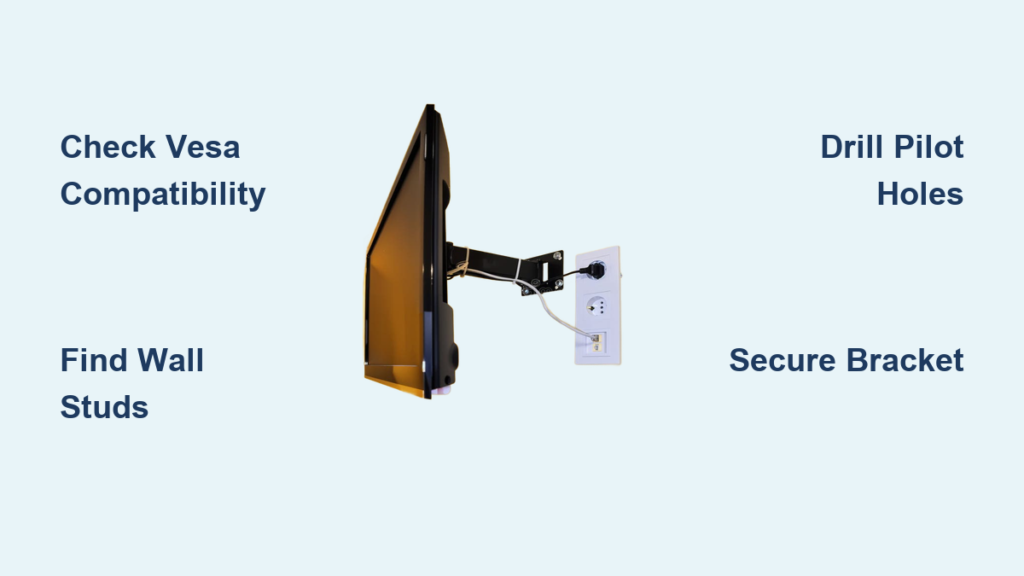
Mounting your plasma television directly to the wall creates a stunning, space-saving entertainment center that transforms any room into a modern viewing experience. The plasma tv wall mount installation process requires careful planning and precise execution to ensure your heavy display remains securely mounted for years of reliable enjoyment. Unlike newer flat panels, plasma TVs typically weigh more due to their glass construction and internal components, making proper mounting techniques absolutely critical for safety and stability. By following this comprehensive guide, you’ll avoid common pitfalls that could damage your expensive television or create dangerous mounting situations. Whether you’re mounting a 42-inch bedroom plasma or a massive 65-inch living room centerpiece, this guide provides the specific steps needed for a professional-quality installation that looks great and stays secure.
Determine Your Plasma TV’s Mounting Compatibility
Before purchasing any hardware, verify your plasma television can actually be wall-mounted by checking for VESA mounting pattern compatibility. Locate the four threaded holes on the back of your TV arranged in a standardized square or rectangular pattern—this is the VESA interface that connects to your wall mount. Measure the horizontal and vertical distance between these holes in millimeters; common plasma TV patterns include 200×200, 400×400, or 600×400 configurations. Consult your TV’s manual or manufacturer’s website if you can’t locate these specifications on the unit itself.
Critical compatibility checks you must perform:
– Confirm your plasma TV’s weight falls within your mount’s specified capacity
– Verify the mount accommodates your screen size (measured diagonally)
– Ensure the mount’s VESA pattern matches your TV’s measurements
– Check if your plasma model has any special mounting requirements
Many older plasma TVs feature rear-mounted input panels that create clearance issues with slim mounts, so measure the distance from your TV’s back to its input ports before selecting a mount. If your plasma TV sits more than 2 inches from the wall when mounted, you’ll need longer HDMI cables or right-angle adapters to connect devices comfortably.
Select the Perfect Mount for Your Plasma TV

Choosing the right wall mount makes the difference between a frustrating viewing experience and perfect picture positioning. Fixed mounts provide the most secure installation with minimal wall protrusion (typically 1-2 inches), ideal for direct viewing angles where you won’t need to adjust screen position. These mounts work best in dedicated home theater rooms with fixed seating arrangements and offer the cleanest, most integrated appearance against your wall.
Tilting mounts add crucial vertical adjustment (usually 15-20 degrees downward) that becomes essential when mounting above eye level—such as above a fireplace mantel. This is the most popular choice for living room plasma TV installations as it combats glare from windows and overhead lights while providing comfortable viewing from standard seating positions. Full-motion mounts offer maximum flexibility with swivel capabilities (up to 120 degrees) and extension (12-24 inches from the wall), perfect for corner installations or multi-angle viewing areas, though they cost significantly more and create a bulkier profile.
Pro Tip: For plasma TVs over 50 inches, always select a mount rated for at least 25% more weight than your television actually weighs—this extra capacity compensates for the plasma screen’s heavier construction compared to LED/LCD alternatives.
Locate Wall Studs with 100% Accuracy
The single most critical step in plasma tv wall mount installation involves finding and anchoring into wall studs, as drywall anchors alone cannot safely support your heavy plasma display. Use a high-quality electronic stud finder (not a magnetic version) for the most reliable results—pass it horizontally across your intended mounting area at the desired height until it detects the stud edges. Mark both edges of each stud with painter’s tape, then calculate the center point (typically 3/4 inch from each edge for standard 1.5-inch studs).
When mounting larger plasma TVs requiring two studs, verify both studs are present at the exact height you need—some walls have horizontal blocking between studs at certain heights that can interfere with proper mounting. If your stud finder fails to locate studs, try these verification techniques:
– Locate electrical outlets (mounted beside studs) and measure 3/4 inch to find the stud edge
– Use a strong magnet to detect drywall screws securing the wallboard to studs
– Drill small pilot holes every 1-2 inches to physically locate stud edges
Crucial safety note: Never mount your plasma TV using drywall anchors alone—plasma displays typically weigh 60-150 pounds and require direct stud attachment for safe, long-term installation.
Drill Perfect Pilot Holes for Secure Mounting

Creating proper pilot holes prevents wood splitting and ensures your lag bolts grip securely within wall studs during plasma tv wall mount installation. First, position your wall mount bracket against the wall with a helper holding it steady, then use a bubble level to ensure perfect horizontal alignment. Mark each mounting hole location directly on the wall through the bracket’s holes.
Select a drill bit 1/8 inch smaller than your lag bolts—for standard 1/4-inch lag bolts, use a 3/16-inch bit. Drill straight into each stud at your marked locations to a depth matching your bolt length (typically 1.5-2 inches). If mounting on brick or concrete walls, use a masonry bit matching your anchor size and insert appropriate sleeve anchors before proceeding.
Time-saving tip: Apply a small piece of colored tape to your drill bit at the desired depth—this visual marker prevents over-drilling and ensures consistent hole depth across all mounting points.
Install the Wall Bracket with Precision

With pilot holes prepared, attach the wall bracket using the lag bolts provided with your mount kit. Position the bracket against the wall, aligning holes with your pilot holes, and have a helper hold it perfectly level while you work. Begin threading each lag bolt by hand to ensure proper alignment, then use a ratcheting socket wrench to drive them fully into the studs.
Do not fully tighten all bolts simultaneously—instead, alternate between bolts while checking level frequently to prevent the bracket from shifting during installation. After all bolts are secure, perform a final level check and gently test the bracket’s stability by applying moderate pressure in multiple directions. The bracket should feel completely rigid with no movement whatsoever—a wobbling bracket indicates improper installation that could lead to television damage.
Mount Your Plasma TV Without Damage
The moment of truth arrives when lifting your plasma TV onto the wall bracket—this step absolutely requires two people due to the TV’s weight and awkward balance. Stand directly in front of the mount with your helper, carefully lifting the TV while keeping it perfectly vertical. Align the TV’s mounting plate with the wall bracket according to your mount’s specific mechanism (sliding, hanging, or snapping into place).
Once positioned, secure any safety screws or locking mechanisms immediately—these prevent accidental dislodging of your TV from the mount. Before connecting cables, verify the television sits perfectly level using a small bubble level placed on top of the screen. Many mounts include micro-adjustment screws that allow fine-tuning of vertical and horizontal positioning after initial mounting.
Pro Tip: Have your helper support the TV’s weight while you make final adjustments—never rely solely on the mount’s locking mechanisms until you’ve confirmed proper installation and stability.
Achieve Professional Cable Management
The difference between a DIY and professional-looking plasma tv wall mount installation comes down to cable management. Before final mounting, determine if you can access your TV’s input panel with the display flush against the wall—many plasma models require at least 3-4 inches of clearance for comfortable cable connection.
For clean cable routing, consider these solutions:
– Surface-mounted raceways: Adhesive-backed channels that blend with your wall color
– In-wall concealment: Requires professional installation for HDMI/ethernet cables (never run power cords inside walls)
– Recessed power outlet: Have an electrician install an outlet directly behind your TV location
Connect all cables before final mounting if possible—this avoids the frustration of reaching behind your heavy plasma display with limited clearance. Use Velcro straps (never zip ties) to bundle cables neatly along the mount’s arm or directly to the wall bracket.
Verify Safety and Stability Before Finalizing
Complete your plasma tv wall mount installation with these critical safety checks:
– Gently push and pull on the TV from multiple angles to test stability
– Verify no mounting hardware protrudes beyond the TV’s back panel
– Confirm all safety locks and anti-tilt features are properly engaged
– Ensure the TV doesn’t vibrate or buzz when touched (sign of loose mounting)
Wait 24 hours before mounting speakers or accessories to your TV—this allows you to verify the primary installation remains stable under normal viewing conditions. Periodically check mounting hardware tightness during the first month as wood studs sometimes settle slightly after initial installation.
If your plasma TV shows any movement, vibration, or unusual noises when touched, dismount it immediately and recheck your stud placement and bolt tightness—never ignore these warning signs with heavy plasma displays. When performed correctly, your plasma tv wall mount installation will provide years of secure, beautiful viewing without concern.

