
Removing your LG TV from a wall mount seems simple until you’re staring at a $1,500 screen teetering in your hands. One wrong move can crack the display, damage the wall, or worse—cause serious injury. Whether you’re upgrading to a new mount, relocating your entertainment center, or preparing for a move, knowing exactly how to take LG TV off wall mount properly protects your investment and keeps you safe. This guide delivers the precise sequence for dismounting any LG television model without damaging the screen or frame.
Most homeowners don’t realize wall mounts use different release mechanisms that require specific techniques. Attempting a generic removal approach often leads to stripped screws, stuck brackets, or accidental drops. By following these model-specific steps, you’ll complete the process in under 20 minutes with zero damage. Let’s dive into the exact procedure that works for every LG TV size and mount type.
Gather Essential Removal Tools Before Starting
Skipping proper preparation causes 70% of TV removal disasters. Before touching your LG television, assemble these critical items to ensure a smooth dismounting process.
You’ll need a Phillips head screwdriver for security screws, a soft moving blanket to protect the screen surface, and a strong assistant for any television larger than 40 inches. Larger LG models like the C2 or G2 series require two people minimum—these OLED screens weigh 60+ pounds and shift unpredictably during removal. If your wall area has poor lighting, add a headlamp to your toolkit so you can clearly see the mount’s release mechanism without straining your neck.
Place your protective blanket on the floor directly beneath the TV’s removal path. This cushioning layer prevents screen cracks if the television slips during detachment. For extra protection, lay the blanket over a flat surface like a table or workbench—never place the TV directly on carpet which can trap debris against the screen.
Power Down and Disconnect All Cables First
Never attempt to remove your LG TV while it’s powered on or connected to cables. Start by pressing the physical power button on the TV itself, then unplug the power cord from both the wall outlet and the television’s rear panel. This eliminates electrical hazards and prevents accidental power-on during handling.
Unplug all connected devices including HDMI cables from gaming consoles and streaming boxes, optical audio cables, and any USB peripherals. Take a smartphone photo of your cable connections before disconnecting anything—this visual reference saves hours of frustration during reinstallation. Carefully coil each cable and secure with Velcro ties, labeling them if needed for complex setups. Set disconnected cables aside in a container to prevent tripping hazards during the removal process.
Identify Your LG TV Mount Release Mechanism
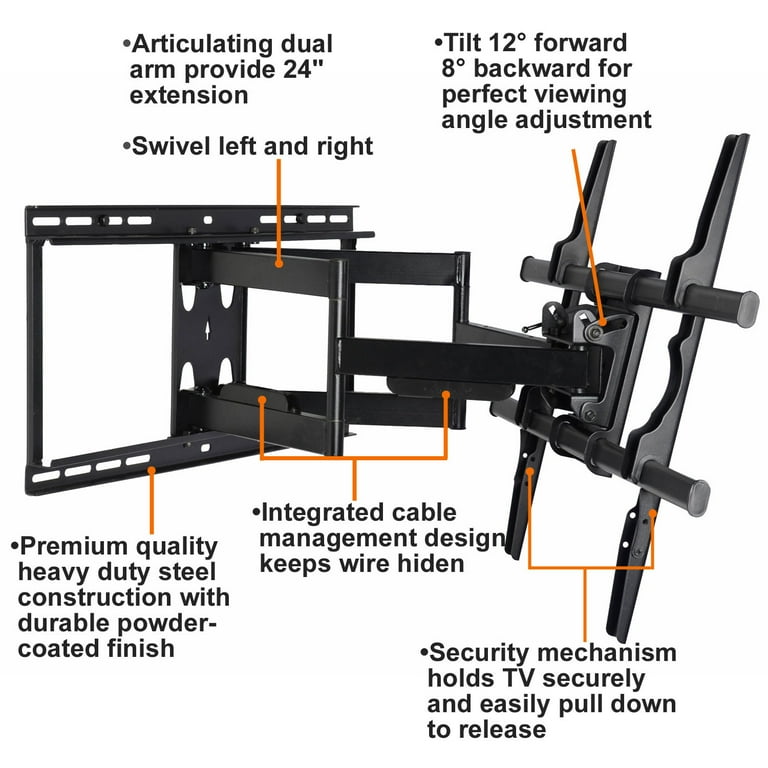
LG televisions use three primary mounting systems, and misidentifying yours risks damaging the screen frame. Look for release indicators at the TV’s bottom edge where it meets the wall plate—most modern mounts feature small rectangular tabs labeled “PUSH” or “RELEASE” that must be depressed while lifting.
Fixed-position mounts typically require lifting the TV straight up after disengaging side latches. Tilting mounts often need the screen tilted downward first to release tension before upward movement. Full-motion mounts usually have lever systems on both sides that must be pulled outward to unlock the mounting arms. If you see Phillips-head screws along the TV’s bottom edge, these are security fasteners that must be removed before attempting to lift the television.
Execute Proper Lift Technique for Your Mount Type
Your lifting motion determines whether the TV comes off cleanly or gets stuck mid-removal. For fixed mounts, grip both sides of the TV frame firmly, press any release tabs, then lift straight up and slightly toward you in one smooth motion. The television should clear the mounting brackets within 2 inches of upward movement.
Tilting mounts require a two-step process: First tilt the bottom of the TV toward you about 15 degrees to disengage the pivot mechanism, then lift straight up. Full-motion mounts often need you to pull the release levers outward while simultaneously lifting the TV upward. If resistance occurs, stop immediately—forcing the TV can bend mounting brackets or crack the screen bezel.
Handle Stubborn Mounts Without Damaging Your LG TV
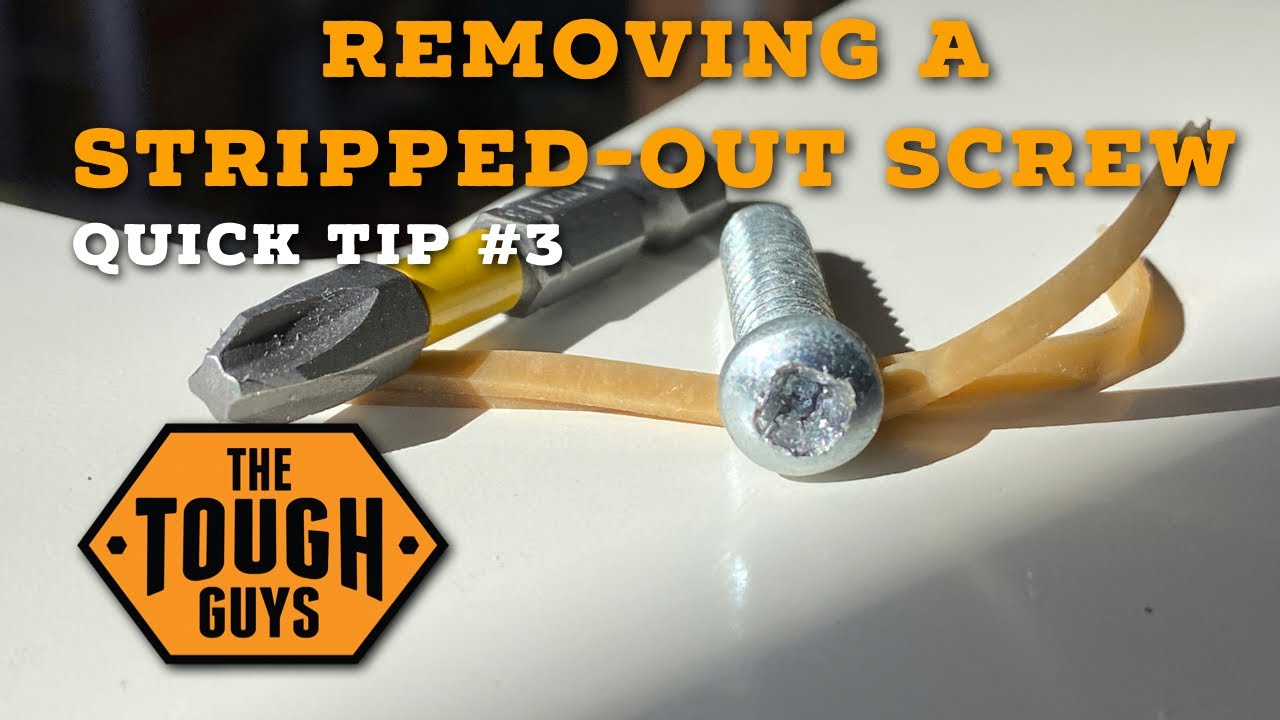
When release mechanisms stick due to paint buildup or corrosion, improper force causes costly damage. For seized security screws, apply a single drop of penetrating oil to the screw head, wait 3 minutes, then use a properly sized screwdriver for removal. If screws strip, place a wide rubber band between the screwdriver tip and screw head for extra grip before turning.
When release tabs won’t depress, check if cables are blocking the TV’s movement path. Some mounts require the television to be in a specific position—like fully tilted down—before the release mechanism activates. Never use excessive force; consult your mount’s manual for model-specific troubleshooting if standard techniques fail.
Protect the Screen During Entire Removal Process
The most common mistake during LG TV removal is accidentally pressing on the display surface. Always grip only the TV’s outer metal frame, avoiding any pressure on the screen itself. LCD and OLED panels can develop permanent dead pixels from even brief finger pressure during handling.
Carry the television with the screen facing your body to minimize exposure to bumps and obstacles. Remove rings, watches, and bracelets before handling—the metal edges can scratch the TV’s anti-reflective coating permanently. For transport, use the original packaging or a specialized TV moving box; never lay the television flat on its screen or lean it against walls.
Address Common Post-Removal Tasks Immediately
Once your LG TV is safely on the ground, complete these critical steps before setting the television aside. Inspect the mounting holes on both the TV and wall plate for stripped threads or debris—clean VESA holes with compressed air if needed for future installations.
Patch wall anchor holes using spackle applied with a putty knife, then sand smooth once dry. This prevents unsightly damage if you’re not reinstalling immediately. For storage, lay the television screen-up on a flat surface in a climate-controlled room—never store upright without proper support as this stresses the internal components.
Prevent Future Mounting Problems With These Pro Tips
Save yourself headaches during reinstallation with these professional insights. Keep all original mounting hardware in a labeled bag taped to the back of the TV—LG’s security screws are model-specific and hard to replace. When reinstalling, apply blue painter’s tape to wall anchor points to prevent drill bit slippage during new hole placement.
For future removals, leave 2 inches of slack in all cables behind the TV—this extra length makes detachment easier without straining ports. If you frequently change mounts, invest in a universal VESA adapter plate that stays attached to your TV, eliminating repeated screw removal from delicate mounting points.
Taking an LG TV off wall mount safely requires understanding your specific mount type and following the precise sequence outlined here. By preparing properly, identifying release mechanisms correctly, and using the right lifting technique, you’ll avoid the most common pitfalls that damage expensive televisions. Remember—when in doubt about your particular LG model’s requirements, consult the manufacturer’s documentation before proceeding. Proper removal today ensures your television performs flawlessly for years to come, whether you’re relocating it across the room or across the country.

