
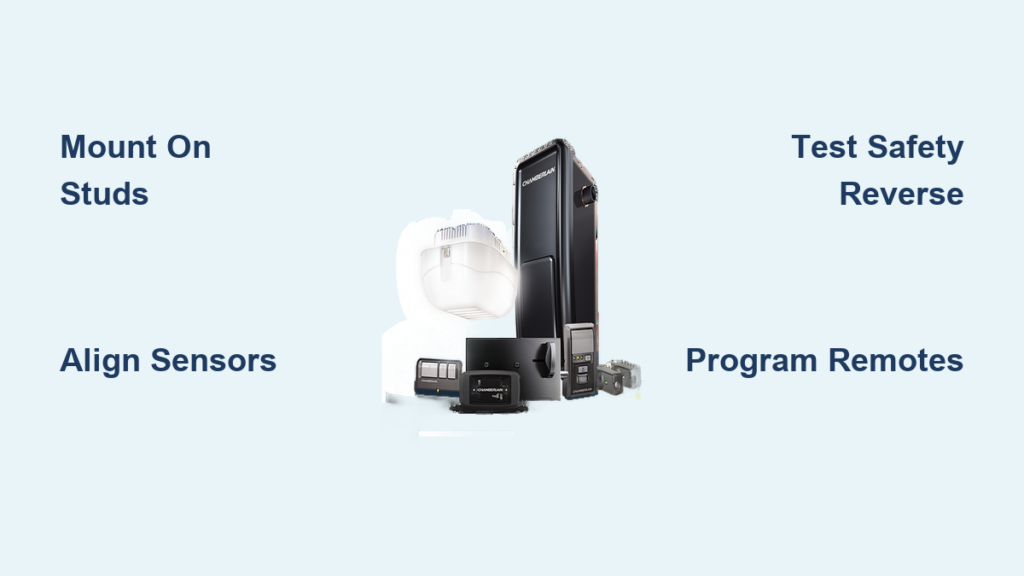
Your garage door suddenly stops responding to remotes, or perhaps you’re upgrading from a noisy ceiling-mounted model to a sleeker wall mount solution. The Chamberlain RJO20 wall mount opener offers a space-saving alternative that operates quietly beside your garage door rather than above it, making it ideal for garages with limited overhead clearance or cathedral ceilings. Installing a Chamberlain wall mount opener correctly ensures years of reliable operation while maintaining critical safety features that protect your family. This comprehensive guide walks you through each essential step of the installation process, helping you achieve professional results even as a first-time installer.
Before you begin your how to install Chamberlain wall mount opener project, understand that wall mount designs connect directly to your door’s torsion system using a jack shaft operator rather than pulling from above. This fundamental difference requires precise alignment and a structurally sound mounting surface. Chamberlain provides robust support resources including installation videos and detailed manuals—always consult your specific model’s documentation before starting, as requirements vary between opener types. With proper preparation and attention to detail, many homeowners successfully complete this installation themselves.
Prepare Your Garage Workspace for Installation
Clearing your work area before installation prevents dangerous accidents and frustrating interruptions. Remove all vehicles, tools, and stored items near the garage door opening to create ample space for movement and assembly. You need unobstructed access to the wall beside the door where the RJO20 will mount, plus clearance for the door’s full travel path during testing. Never attempt installation with vehicles or obstacles blocking the door’s movement—this creates serious safety hazards during testing.
Inspect the mounting wall surface thoroughly before proceeding. Wall mount openers like the Chamberlain RJO20 require attachment to solid structural components—wooden studs or concrete block—not just drywall or siding. Run your hand along the wall to feel for stud locations, or use a stud finder to map their positions. If your garage has finished walls with drywall covering, you must locate and anchor into the underlying studs. One Chamberlain customer reported smoother installation because they verified mounting surface integrity beforehand, avoiding mid-project complications.
Check Your Garage Door’s Mechanical Condition
Your garage door must operate smoothly before connecting an automatic opener. Disconnect the manual release cord and operate the door manually through several complete cycles. The door should move freely along its tracks with minimal effort—if you struggle to lift it, don’t proceed with installation. Binding doors create dangerous operating conditions that strain the opener motor and compromise safety features. Address any mechanical issues like misaligned tracks, damaged rollers, or unbalanced springs before installing your Chamberlain wall mount opener.
Gather Essential Tools Before Starting Installation
Having all necessary tools assembled prevents mid-project delays and ensures professional results. Your Chamberlain wall mount opener package includes the unit and mounting hardware, but you’ll need these additional tools:
- Cordless drill with assorted bits (including masonry bits if mounting on concrete)
- Level (24-inch recommended for accurate alignment)
- Phillips and flathead screwdrivers
- Adjustable wrench set
- Wire strippers and electrical tape
- Stud finder (critical for locating solid mounting points)
- Ladder appropriate for your ceiling height
Electrical Preparation Requirements
Wall mount openers require reliable power access near the mounting location. Verify you have an accessible electrical outlet within 6 feet of the planned mounting position, or prepare to install a new circuit according to local electrical codes. If you’re uncomfortable with electrical work, hire a licensed electrician—improper wiring creates fire hazards and violates building codes in most jurisdictions. Chamberlain’s documentation emphasizes that wall mount openers typically require a dedicated 15-amp circuit with GFCI protection, though specific requirements vary by model.
Position and Mount Your Chamberlain Wall Mount Opener

Proper mounting height ensures smooth operation and prevents premature wear. The Chamberlain RJO20 should mount high enough to clear the top of the garage door when fully open while remaining accessible for maintenance. Consult your owner’s manual for exact height specifications—guessing measurements leads to alignment issues that cause operational problems. Most installations position the opener 6-12 inches above the torsion bar, but your specific door configuration may require adjustment.
Secure the Mounting Bracket Properly

Begin by attaching the mounting bracket to the wall using appropriate anchors for your surface type. For wood stud construction, use 3-inch lag bolts penetrating at least 1.5 inches into solid wood. For concrete or masonry walls, use sleeve anchors rated for the opener’s weight (typically 30-40 lbs). Never mount solely into drywall—this creates dangerous failure points under operational stress. Use your level frequently during installation to ensure the bracket remains perfectly horizontal, as even slight angles cause binding in the jack shaft mechanism.
Complete Electrical Connections Safely
Electrical connections represent the most critical safety phase of your how to install Chamberlain wall mount opener project. If an outlet exists near your mounting location, simply plug in the power cord. For new wiring installations, follow these guidelines:
- Use 14-gauge NM-B (Romex) cable for standard residential circuits
- Install a GFCI-protected outlet within 6 feet of the opener
- Secure wiring with cable staples every 4.5 feet along its route
- Keep wires away from moving door components
Connect Safety Sensors and Wall Controls
Modern Chamberlain openers require photo-eye safety sensors that detect obstructions in the door’s path. Mount these sensors 6 inches above the garage floor on both sides of the door opening. Misaligned sensors prevent door operation—ensure the indicator lights on both units glow steadily when properly aligned. Wall control stations connect through low-voltage wiring and should mount near your garage’s interior entry point for convenient access.
Program Remote Controls and myQ Smart Features
With electrical connections complete, programming your remote controls brings your installation to functional completion. Chamberlain’s rolling code technology changes the remote signal with each use for enhanced security. To program:
- Locate the programming button on your opener (usually on the motor housing)
- Press and release the button—the indicator light will illuminate
- Press and hold your remote button for 3 seconds
- Test operation before programming additional remotes
Set Up myQ Smartphone Integration
Chamberlain’s myQ platform enables remote monitoring and control through your smartphone. Download the myQ app and create an account, then follow these steps:
- Put your opener in Wi-Fi learning mode (check manual for model-specific instructions)
- Enter your home Wi-Fi credentials into the app
- Verify connection by checking door status remotely
- Enable notifications for door activity
Pro Tip: Position your smartphone near the opener during setup to ensure strong signal connection—weak signals cause pairing failures.
Test Safety Features Before Regular Use
Thorough safety testing prevents dangerous operational issues. Test the photo-eye sensors by activating door closing and interrupting the beam with an object. The door must immediately reverse direction—if not, check sensor alignment and wiring. Test force sensitivity by placing a 2×4 board flat on the floor in the door’s path; the door should reverse upon contact without crushing the wood.
Verify Operational Limits and Force Settings
Adjust travel limits so the door opens fully without straining the torsion system and closes completely without excessive pressure. Force settings should use the minimum power needed for reliable operation—excessive force settings compromise safety features. Chamberlain’s installation guides provide baseline settings, but your specific door may require fine-tuning based on weight and balance.
Maintain Your Wall Mount Opener for Longevity
Regular maintenance extends your Chamberlain wall mount opener’s lifespan. Monthly tasks include:
- Cleaning photo-eye sensor lenses with a dry microfiber cloth
- Testing safety reversal features
- Inspecting for unusual noises during operation
- Lubricating moving parts according to manufacturer guidelines
Critical Maintenance Tip: Manually operate your garage door monthly with the opener disconnected—this verifies the door’s mechanical condition independent of the opener. Binding or unbalanced doors strain the motor and create hazardous conditions.
Installing a Chamberlain wall mount opener like the RJO20 delivers space-saving convenience and quieter operation when done correctly. By following these steps for how to install Chamberlain wall mount opener systems—including proper workspace preparation, secure mounting, electrical safety checks, and thorough feature testing—you ensure reliable performance for years. Remember that your garage door is the largest moving object in your home—safety must always come first. If you encounter complex electrical requirements or structural mounting challenges beyond your expertise, consult Chamberlain’s professional installer network through their website. When completed properly, your wall mount opener provides the sleek aesthetics and quiet operation that makes daily garage access both convenient and safe.

