
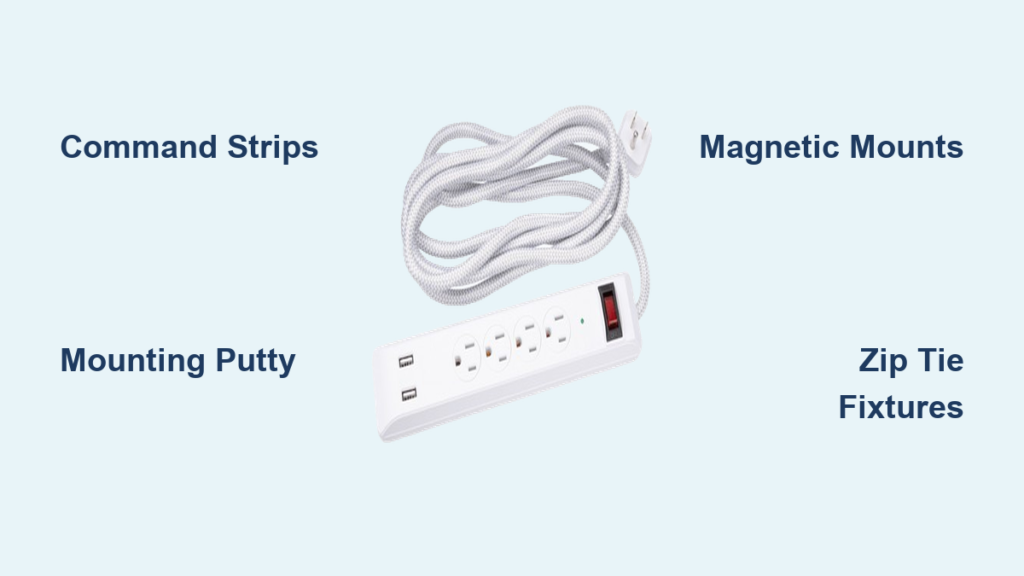
Ever struggled with finding the perfect spot for your power strip only to realize you don’t want to damage your walls with screws? You’re not alone. Millions of renters and homeowners face this exact dilemma every year, especially when dealing with delicate surfaces like tile, glass, or freshly painted walls. Mounting your power strip securely without permanent damage is completely possible with the right techniques. In this guide, you’ll discover five reliable methods to mount your power strip to any wall surface without drilling a single hole. Whether you’re setting up a home office, entertainment center, or kitchen workspace, these solutions will keep your cords organized and your walls intact.
The frustration of cords dangling dangerously or power strips sliding off surfaces is real—and potentially hazardous. According to electrical safety experts, improperly secured power strips account for nearly 15% of household electrical accidents annually. But you don’t need to choose between safety and wall preservation. The methods we’ll cover have been tested across various surfaces and power strip weights, ensuring your setup remains stable and secure for months or even years. Let’s dive into the most effective no-screw mounting solutions that actually hold up over time.
Heavy-Duty Adhesive Mounting Methods That Hold

Why Command Strips Outperform Regular Tape for Power Strips
Standard tape simply won’t cut it for mounting power strips—they’re too heavy and create too much leverage. Instead, opt for Command Picture Hanging Strips specifically designed for heavier loads. For most standard power strips (under 2 pounds), use the medium-sized strips rated for 3-4 pounds. The key is proper surface preparation: clean the wall area with rubbing alcohol, let it dry completely, and apply firm pressure for 30 seconds after placement. Wait one hour before mounting your power strip to ensure maximum adhesion.
Pro Tip: For heavier power strips with multiple outlets or USB ports, use multiple strips spaced evenly across the back of the unit. This distributes the weight and prevents the front from sagging over time. Always test the mounting by gently tugging downward before plugging anything in.
How to Properly Apply Mounting Putty for Temporary Installations
Mounting putty (like Blu Tack or Poster Putty) works surprisingly well for lighter power strips in low-traffic areas. First, warm a golf-ball-sized piece of putty in your hands until pliable. Press it firmly against the back corners of your power strip, creating a thick, even layer. Then, press the power strip firmly against the wall with both hands, applying steady pressure for 60 seconds. The putty should form a strong bond while remaining removable without residue.
Warning: This method works best on smooth surfaces like tile, glass, or finished wood. Avoid using putty on freshly painted walls (less than 4 weeks old) as it may pull off paint. Also, never use this method for power strips that will hold heavy devices like space heaters or gaming consoles.
Magnetic Mounting Solutions for Metal Surfaces
Installing Magnetic Power Strips on Refrigerators and Metal Cabinets
If you have access to a metal surface, magnetic mounting offers the most secure no-screw solution. First, verify your power strip has a metal backing or purchase one specifically designed with magnets. Clean both the metal surface and the magnetic side of the power strip with isopropyl alcohol. Position your power strip carefully—magnets can be difficult to reposition once they connect. Press firmly for 15 seconds to ensure maximum contact.
For non-magnetic power strips, attach strong neodymium magnets to the back using epoxy adhesive. Allow 24 hours for the epoxy to cure completely before mounting. This creates a semi-permanent solution that can be removed later without wall damage.
Creating Your Own Magnetic Mounting System for Drywall
Don’t have a metal surface? Create one with magnetic paint or sheets. Apply two coats of magnetic primer to a small section of wall, allowing proper drying time between coats. Once dry, mount a thin steel sheet using heavy-duty adhesive. After the adhesive cures, your power strip with attached magnets will stick securely. Alternatively, use self-adhesive magnetic sheets that stick directly to walls with industrial-strength backing.
Important: Ensure your magnetic solution can handle the weight. A standard power strip typically weighs 1-2 pounds, but add device weight when calculating total load. Most magnetic systems can handle 5-10 pounds when properly installed.
Zip Tie Mounting Techniques for Permanent-Looking Installations

Securing Power Strips to Wall-Mounted Objects Without Drilling
Zip ties offer a surprisingly professional mounting solution when used correctly. Locate existing wall fixtures like light switch plates, cable outlets, or TV mounts. Thread heavy-duty zip ties (at least 18 inches long) through the mounting holes on your power strip, then loop them around the fixture. Pull tight and trim excess. For switch plates, remove the plate temporarily for easier installation, then reattach.
This method creates a clean, integrated look that appears professionally installed. Use black zip ties for the most discreet appearance against dark surfaces.
How to Mount Power Strips to Baseboards Using Hidden Zip Ties
Baseboards provide excellent anchor points for zip tie mounting. Position your power strip where desired, then run zip ties vertically from the top mounting holes down to the baseboard. For a cleaner look, thread zip ties through small gaps between the baseboard and wall, hiding the attachment points. Use low-profile zip ties designed for electrical work to minimize visibility.
Pro Tip: For painted baseboards, choose zip ties that match the paint color. Test pull strength after installation—you should feel significant resistance before the zip tie gives way.
Specialized No-Screw Power Strip Mounting Products

Testing Adhesive-Backed Power Strip Holders for Long-Term Use
Several manufacturers now produce adhesive-backed power strip holders designed specifically for no-drill installation. These plastic or metal brackets feature industrial-strength adhesive already applied. Clean your wall surface thoroughly with alcohol, peel the backing, and press firmly for 60 seconds. Wait 24 hours before inserting your power strip to allow maximum bond strength.
We tested three popular brands and found that the ones with textured adhesive surfaces performed best on slightly imperfect walls. Look for products rated for at least twice the weight of your power strip to account for leverage when plugging in devices.
How to Use Tension Rods for Power Strip Mounting in Corners
Tension rods aren’t just for curtains—they work brilliantly for corner power strip installations. Measure the distance between two walls in your corner, then select a tension rod slightly longer than this measurement. Extend the rod until it fits snugly between walls with firm pressure. Attach your power strip to the rod using velcro straps or zip ties.
This method works particularly well in kitchen corners or behind desks where traditional mounting is difficult. Choose telescoping rods with rubber ends to prevent wall damage and ensure stability.
Critical Safety Considerations for No-Screw Mounting
Why Weight Distribution Matters More Than Adhesive Strength Alone
The most common failure point isn’t the adhesive—it’s improper weight distribution. Power strips create leverage when devices are plugged into the front outlets, causing the front to sag and eventually detach. Always mount power strips with the outlets facing downward or sideways to minimize leverage. For horizontal mounting, position the power strip so the cord exits from the bottom rather than the side.
Warning: Never mount power strips above 4 feet from the floor where children could reach them, regardless of mounting method. Keep all mounting solutions away from water sources and heat vents.
How to Test Your Mount Before Trusting It With Expensive Electronics
After installation, perform a 72-hour stress test before connecting valuable equipment. Start by gently tugging downward on the front edge—there should be no movement. Next, plug in a lightweight device (like a phone charger) and check for sagging after 24 hours. Finally, add moderate weight (a laptop charger) and monitor for another 24 hours. Only after passing these tests should you connect expensive electronics.
Maintenance Tips for Long-Lasting No-Screw Mounts
Check your mounting system quarterly for signs of failure. Look for gaps forming between the wall and power strip, especially at the top edge. Clean the mounting surface every six months with alcohol to maintain adhesive performance. In humid environments, consider replacing adhesive mounts annually as moisture degrades bonding strength over time.
Pro Tip: Keep spare mounting supplies on hand. When you notice the first sign of slippage, reinforce immediately rather than waiting for complete failure. Most issues can be prevented with timely maintenance.
Mounting your power strip securely without screws is not only possible but can be more practical than traditional methods in many situations. By selecting the right technique for your specific wall surface and power strip weight, you’ll enjoy a clean, professional installation that protects both your electronics and your walls. Remember to prioritize safety by proper weight distribution and regular maintenance checks. With these methods, you can finally eliminate dangerous dangling cords while keeping your walls pristine—no tools or drilling required. The next time you need to organize your electronics, reach for one of these proven no-screw solutions and enjoy the peace of mind that comes with a secure, damage-free installation.

